Best Embroidery Machine for Monogramming and Names
Five machines sold new, compared for monograms and names on field size, lettering tools, fonts, and file formats, with manual page numbers.
 By Jordan Hale
Updated October 23, 2026
We earn a commission if you buy through links on this page, at no extra cost to you. Commissions do not affect how we rate products. As an Amazon Associate I earn from qualifying purchases. Learn more.
The best embroidery machine for monogramming depends on whether you also sew. On our published scores and the makers’ documents, that points to the Brother SE2000 if you do, and the Brother PE900 if you only embroider. Both stitch a 5″ x 7″ field (180 mm x 130 mm), which gives a name or a three-letter monogram more room than the 4″ x 4″ machines. If your projects are small initials on cuffs, napkins, or baby gifts, the Brother SE700 and PE545 cost less and do the job.
Many lists for this topic still recommend machines Brother has stopped selling. We compared only machines sold new on the makers’ U.S. stores in October 2026, and we read each maker’s manual for the lettering tools. We do not conduct our own product trials. Our scores come from manuals, store pages, and owner reviews. The EMS Rating for each machine is the one we already published in our best embroidery machines roundup and in the reviews linked below.
Quick answer
- Brother SE2000 (EMS 7.7): best overall. 5″ x 7″ field, 13 built-in embroidery fonts, plus sewn letters.
- Brother PE900 (EMS 7.3): best embroidery-only pick for names and monograms. Same field as the SE2000.
- Brother SE700 (EMS 6.8): best entry-level machine that also sews. 4″ x 4″ field.
- Brother PE545 (EMS 6.5): embroidery only, 4″ x 4″. Check stock before you plan around it.
- Singer SE9180 (EMS 6.1): a wide, short field, but it reads only .VP3 files.
Monogramming on a home machine: what you are really buying
A monogram is lettering stitched as a design. On a home machine you type letters on the touch screen, pick a built-in font, and set the size. The machine then stitches them in a hoop (the frame that holds the fabric and stabilizer, the backing under the fabric). Four things decide how well a machine handles that job:
- Field size. The field is the largest area the machine can stitch in one hooping. It caps how wide a line of letters can be.
- Lettering tools. Size steps, character spacing, arcs, and multiple lines turn a row of letters into a finished name.
- Fonts. Built-in fonts are fastest. Anything else means loading your own files.
- File formats. Which files your machine reads decides how many outside fonts and designs you can use.
Lettering tools by machine
From each maker’s manual, with PDF page numbers where we recorded them (read October 23, 2026). The Brother manual does not give letter height in millimeters or inches, only size levels, so we do not list a height.
| Machine | Max embroidery field | Built-in embroidery fonts | Size change | Spacing, arc, multiple lines | Long names across hoopings | Letters sewn without embroidery |
|---|---|---|---|---|---|---|
| Brother SE2000 | 180 mm x 130 mm (5″ x 7″), manual p.117 | 13 (Brother’s page also shows a line reading 5) | Size key, p.98 | Spacing p.99, array p.98 | Linked characters, p.100 | Yes, character stitches with monogramming foot N (manual pp.51 to 52): Outline, Gothic, Cyrillic, Handwriting, Japanese |
| Brother PE900 | 180 mm x 130 mm (5″ x 7″), manual p.60 | 13 | Size key, p.44 | Spacing p.45, arc and array p.44, multiple lines pp.34 and 45 | Linked characters, p.46 | No, embroidery only |
| Brother SE700 | 10 cm x 10 cm (4″ x 4″), manual p.98 | 10 | Size key, p.78 | Spacing and array, p.79 | Linked characters, p.81 | No character stitches in the manual; it sews, but letters are embroidered |
| Brother PE545 | 10 cm x 10 cm (4″ x 4″), manual p.57 | 10 | Size key, p.41 | Spacing p.42, arc p.42 | Linked characters, p.44 | No, embroidery only |
| Singer SE9180 | 170 mm x 100 mm (about 6.7″ x 3.9″), manual p.11 | 10 | Font size can be changed, manual p.52 | Spacing, mirror, rotate, and two shaping options, p.52 | Not itemized in our research | Not covered in our research |
“Not itemized in our research” means we did not find the feature in the pages we read, not that it is missing.
The chart above draws the field sizes from the table to the same scale: the 4″ x 4″ machines, the Singer’s wide and short 170 mm x 100 mm field, and the 5″ x 7″ Brothers drawn to the same scale.
How we picked
We started from machines sold new in the U.S., then dropped any with no lettering built in. The Brother Skitch PP1 is out: its manual has no lettering, monogram, or text tools, and our database lists 0 fonts on the machine. We kept the machines whose manuals document lettering and that carry an EMS Rating. We did not re-score anything for this guide. The weights and criteria are on our How We Review page. Machines Brother has discontinued are covered in a separate list and are not picked here.
1. Brother SE2000: best overall for monograms
EMS Rating: 7.7. It combines the big 5″ x 7″ field with a sewing machine, so one purchase covers a monogrammed shirt pocket and a hemmed napkin. Brother lists 13 built-in embroidery fonts, though the same product page also has a line that reads 5, and we could not tell which figure that line describes. The manual also documents sewn letters (character stitches) with the monogramming foot N, in Outline, Gothic, Cyrillic, Handwriting, and Japanese styles (pp.51 to 52). For embroidered lettering it covers a size key and array (p.98), character spacing (p.99), and linked characters (p.100).
Pros
- Largest field in this guide, so a long name fits on one line without re-hooping.
- The only machine here whose manual documents sewn letters, an option when you do not need a dense embroidered monogram.
- Reads .pes, .phc, .dst, and .pen files.
Cons
- It costs more than the 4″ x 4″ machines.
- Conflicting font counts on Brother’s own page.
Skip it if you will only ever stitch initials a couple of inches wide. The SE700 covers that for less; our SE700 vs SE2000 comparison shows the gap. Read the full Brother SE2000 review.

Brother SE2000
- 5 in x 7 in
- Sew + embroider
- 193 designs
Good fit if
- You want one machine for sewing and 5" x 7" embroidery
- You value a larger built-in stitch selection and a knee lifter
Skip it if
- Your designs fit in 4" x 4" and you want to spend less
- You already own a sewing machine and only need embroidery
Check price on AmazonRead our full review
Paid link. We may earn a commission.
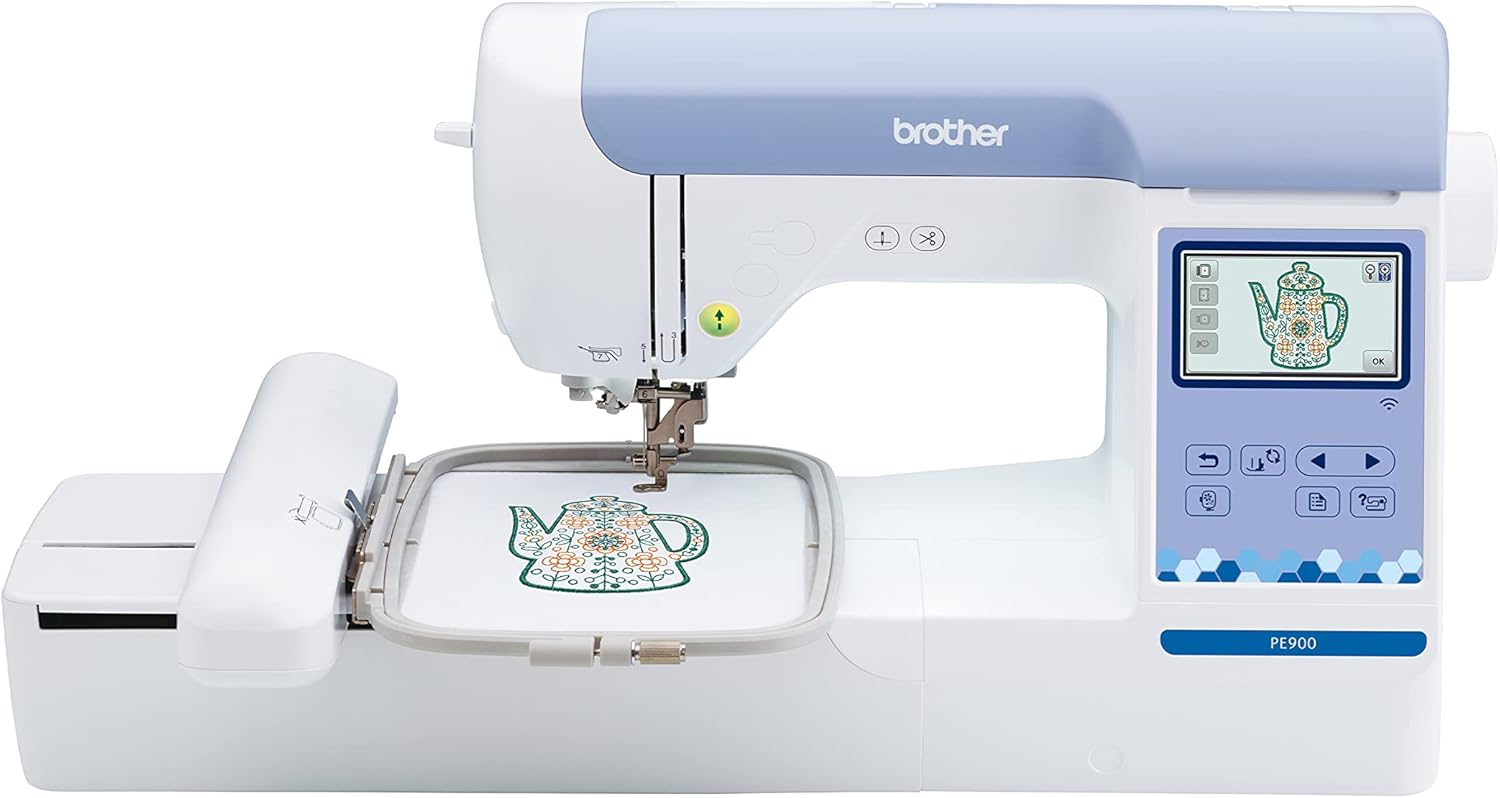
2. Brother PE900: best embroidery-only machine for names
EMS Rating: 7.3. The PE900 has the same 5″ x 7″ field as the SE2000 without the sewing side. Its manual covers a size key (p.44), arcs and arrays (p.44), character spacing (p.45), multiple lines (pp.34 and 45), and linked characters (p.46). Linked characters let you split a long word across several hoopings, so a name wider than the field can still be stitched. It does not sew, and it has 13 built-in embroidery fonts.
Pros
- Size, spacing, arc, multiple lines, and linked characters are all in the manual.
- 5″ x 7″ field in an embroidery-only body, with a slightly lower EMS Rating than the SE2000.
- USB and Wi-Fi design loading.
Cons
- No sewing and no sewn letters.
- Single needle, so you change thread by hand for every color.
Skip it if you want one machine that also sews, or if you want a multi-color monogram stitched without stopping. See the Brother PE900 review.
Brother PE900
- 5 in x 7 in
- Embroidery only
- 193 designs
Good fit if
- You only need embroidery and want a 5" x 7" field
- You want wireless design transfer
Skip it if
- You also want a sewing machine in the same unit
- Your designs fit in 4" x 4" and you want a smaller-field machine
Check price on AmazonRead our full review
Paid link. We may earn a commission.
3. Brother SE700: the entry-level pick that also sews
EMS Rating: 6.8. The SE700 has a 4″ x 4″ field (10 cm x 10 cm) and 10 built-in embroidery fonts. Its manual covers a size key (p.78), character spacing and array (p.79), and linked characters (p.81). It sews as well as embroiders, but unlike the SE2000 its manual has no sewn character stitches, so every letter is embroidered. That makes it a fair choice for initials and short names on a budget.
Pros
- Sews and embroiders, so it works as a first and only machine.
- Linked characters for words wider than the hoop.
Cons
- A 4″ x 4″ field is tight for a full first name in a large size.
- Only 10 built-in fonts, and no sewn letters.
Skip it if you need a name longer than a hoop’s width in one go. The Brother SE700 review has the full picture.

Brother SE700
- 4 in x 4 in
- Sew + embroider
- 135 designs
Good fit if
- You want one machine for sewing and small embroidery
- Your designs fit in 4" x 4"
Skip it if
- You expect to stitch designs larger than 4" x 4"
- You already own a sewing machine and only need embroidery
Check price on AmazonRead our full review
Paid link. We may earn a commission.
4. Brother PE545: embroidery only, 4″ x 4″
EMS Rating: 6.5. The PE545 documents a size key (p.41), arc and spacing (p.42), and linked characters (p.44), and has 10 built-in fonts. It is the cheapest way into Brother’s documented lettering tools. Brother’s store showed it in stock on October 21, 2026 and out of stock on October 23, so stock comes and goes.
Pros
- Documented lettering tools, including linked characters for long words.
- Simpler than a combo machine.
Cons
- 4″ x 4″ field and no sewing.
- Availability has been unstable.
Skip it if you want sewn letters or a larger field. For a side-by-side with the SE700, see PE545 vs SE700.

Brother PE545
- 4 in x 4 in
- Embroidery only
- 135 designs
Good fit if
- You only need embroidery for small designs
- You want wireless design transfer
Skip it if
- You expect to stitch designs larger than 4" x 4"
- You also want a sewing machine in the same unit
Paid link. We may earn a commission.
5. Singer SE9180: wide field, one file format
EMS Rating: 6.1. Singer’s manual gives a 170 mm x 100 mm hoop (p.11), which is wide but shallow. It has 10 built-in embroidery fonts, and the manual’s text tools (p.52) cover font size, spacing, mirror, rotate, and two shaping options. The catch is files: the manual says the machine loads only .VP3 (p.31). Singer’s own pages disagree on the maximum field and on Wi-Fi, so plan on a USB stick and the smaller field.
Pros
- Wider field than the 4″ x 4″ Brothers.
- Sews as well as embroiders.
Cons
- Only .VP3 files load, so .PES monogram fonts and designs need converting first.
- Field is only 100 mm tall.
- Conflicting specs on Singer’s own pages.
Skip it if you already own a library of .PES designs. We have no verified Amazon listing for it, so the link goes to Singer’s own store and is not an affiliate link.
Singer SE9180 on Singer’s U.S. store
Monogramming buying guide
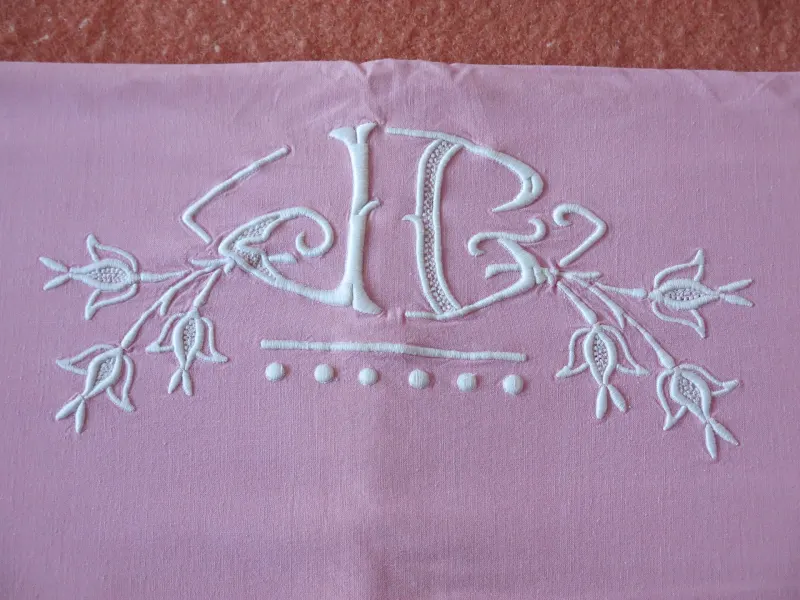
Embroidered monogram or sewn letters
Embroidered letters are stitched by the embroidery unit inside a hoop. Sewn letters (character stitches) are sewn like a decorative stitch, with the monogramming foot N. Of the machines here, only the SE2000’s manual documents sewn letters. The SE700 sews but embroiders its letters, and the PE545 and PE900 only embroider.
Field size and name length
The field limits the width of one line. A 4″ x 4″ field fits initials and short names. For longer names you can use a 5″ x 7″ machine, a smaller font size, or linked characters, which let all four Brother machines here stitch a word across several hoopings. Linking is not automatic alignment: the PE900 manual has you mark the start position on the fabric and line up the needle for each section after you rehoop. Our hoop size guide explains how hoop and field relate.
Fonts you can add
If the built-in fonts are not enough, you can add your own. Brother’s manuals list .pes, .phc, .dst, and .pen files. A BX font is not in that list, so we infer it needs converting before a Brother machine can use it; that is our reading of the manual, not a Brother statement. Embrilliance AlphaTricks says its Font Importer turns a set of letters into a keyboard font, with baseline and monogram adjustments, and exports .DST, .PES, and .VP3 among other formats. Our guide to embroidery software for home machines covers the wider software picture.
Monograms on towels and hats
Towels are the classic monogram project, but thick fabric has limits. Brother’s PE900 manual says fabric thicker than 2 mm (1/16 inch) can break the needle, and terry cloth needs water-soluble stabilizer on top. Our guide to embroidering towels walks through it. Hats are a different story: the manuals for these Brother home machines do not mention a cap frame, so see machines that can do hats before you plan one.
Other machines we did not pick
- Brother Skitch PP1: its manual has no lettering tools, and it lists no built-in fonts. Not a monogram machine.
- Multi-needle machines: they stitch several colors without stopping, but they cost far more. See machines for small business.
- Discontinued Brother models: several lists still recommend them. We left them out because you cannot buy them new from Brother.
Final Thoughts
- Best overall: Brother SE2000 (EMS 7.7).
- Best embroidery-only: Brother PE900 (EMS 7.3).
- Best entry-level: Brother SE700 (EMS 6.8).
If a monogrammed gift is the goal, our embroidery machine gift guide helps with the shopping side, and the beginner roundup covers first-time buyers.
Who should skip this list
- You need long names stitched in one hooping on a 4″ x 4″ machine. Pick a 5″ x 7″ machine.
- You want many colors stitched automatically. Single-needle machines stop for each color change.
- You own a .PES library and are considering the Singer, which loads only .VP3.
What we could not assess
- Stitch quality, letter sharpness, and noise. We do not conduct our own product trials, and owner reviews are individual reports.
- Letter height in inches or millimeters. Brother’s manuals give size levels only.
- Whether the Singer SE9180 can split long text across hoopings; we did not find it in the pages we read.
- Whether a BX or other outside font converts cleanly for a given machine.
- Prices and stock, which change daily. Check the retailer’s page.
Frequently Asked Questions
What is the best embroidery machine for monogramming?
For most buyers it is the Brother SE2000 (EMS Rating 7.7) if you also sew, or the Brother PE900 (7.3) for embroidery only. Both have a 5″ x 7″ field.
Can a sewing machine embroider names?
Some can. Among the machines here, the Brother SE2000 manual documents sewn letters with the monogramming foot N, and the machine also embroiders. Embroidered letters need an embroidery unit and a hoop.
What is the difference between monogram and embroidery?
Monogram usually means initials or a name. Embroidery is the method. A monogram can be embroidered, or on some machines sewn with character stitches.
Can I stitch a name longer than my hoop?
On the four Brother machines here, linked characters split a long word across several hoopings (PE545 p.44, PE900 p.46, SE700 p.81, SE2000 p.100).
Can I use my own fonts?
Yes, if they become design files your machine reads. Brother machines read .pes, .phc, .dst, and .pen; the Singer SE9180 reads only .VP3.
Sources
- Brother PE900 Operation Manual 888-K80: lettering tools (pp.34, 44 to 46), maximum field (p.60), fabric thickness (p.29); read October 23, 2026. Brother support, PE900 manuals.
- Brother PE545 Operation Manual 888-P30: lettering tools (pp.41, 42, 44), maximum field (p.57); read October 23, 2026. Brother support, PE545 manuals.
- Brother SE700 Operation Manual 888-P10: lettering tools (pp.78, 79, 81), maximum field (p.98); read October 23, 2026. Brother support, SE700 manuals.
- Brother SE2000 Operation Manual 888-K10: character stitches with foot N (pp.51, 52), lettering tools (pp.98 to 100), maximum field (p.117); read October 23, 2026. Brother support, SE2000 manuals.
- Brother manuals for file formats and touch panel on all four machines (checked October 12, 2026); PE545 p.57 and PE900 p.60 on DST color information (read October 23, 2026).
- Brother USA PE900 page and SE2000 page: built-in font counts (checked October 23, 2026).
- Singer SE9150 to SE9185 manual: field (p.11), file format (p.31), text tools (p.52); read October 23, 2026. Singer SE9180 product page.
- Brother Skitch PP1 Operation Manual 888-R00: no lettering, monogram, or text terms found (searched October 23, 2026). Brother support, PP1 manuals.
- Embrilliance AlphaTricks: Font Importer, monogram adjustments, export formats (checked October 23, 2026).
- Brother home-machine manuals (PE545, PE900, SE700, SE2000, PP1) and Brother USA cap-frame pages: no cap frame mentioned for these machines (checked October 12, 2026).
- EMS machine database: EMS Rating, sold-new status, and field and font entries for each machine (status checked October 20 and 21, 2026).
- Bing U.S. search results for this topic, reviewed October 23, 2026.
About the author

Jordan Hale is a pen name used by the site's operator. Jordan researches and edits the buying guides at Embroidery Machine Scout. Jordan compiles manufacturer specifications, user manuals, and patterns in owner feedback to compare home and small-business embroidery machines. Jordan does not physically operate the machines reviewed here; every recommendation states its sources and the date they were checked.