Embroidery File Formats Explained: Which Does Your Machine Read?
Which embroidery file formats Brother, Singer, Janome, and Ricoma machines read, from manuals with page numbers, plus PES vs DST and why an SVG will not stitch.
 By EMS Team
Updated October 23, 2026
This guide contains no affiliate links. Embroidery Machine Scout earns commissions through links on some other pages, which do not affect our ratings. Learn more.
Embroidery file formats are the file types a machine can stitch, and yours reads only the ones its maker lists in the manual. That list differs by brand. Brother’s machines in our table read .pes, .phc, .dst, and .pen. Singer’s SE9180 manual says .VP3 only. Janome’s 400E and 550E read .JEF, .JEF+, .JPX, and .DST. A design is only usable if it is saved in one of those formats, so check the file extension (the letters after the dot, such as .pes) before you buy a design. This guide gives a lookup table built from manuals and maker pages, checked October 23, 2026. We do not conduct our own product trials, so every row below comes from the maker’s own documents.
Short answer
- Brother: look for .PES or .DST designs. Brother’s manuals list .pes, .phc, .dst, and .pen.
- Singer SE9180: the manual says the machine loads only .VP3.
- Janome 400E and 550E: .JEF is Janome’s default format; the manuals also list .DST.
- Ricoma PM series: the maker lists DST.
- An SVG is not a stitch file. You cannot copy it to a USB stick and stitch it.
Which format each machine reads
This table lists what each maker publishes. Where a maker does not say, the cell says so rather than guessing. “Page” means the page of the PDF file.
| Machine | Reads | Source and page | Notes |
|---|---|---|---|
| Brother PE900 | .pes, .phc, .dst, .pen | PE900 Operation Manual (888-K80), p.60 | Up to 180 x 130 mm and 200,000 stitches per design; memory of 1024 KB or 20 designs |
| Brother PE545 | .pes, .phc, .dst, .pen | PE545 Operation Manual (888-P30), p.57 | Up to 10 x 10 cm and 100,000 stitches per design |
| Brother SE700 | .pes, .phc, .dst, .pen | SE700 Operation Manual (888-P10), p.98 | Up to 100,000 stitches per design and 1024 KB or 20 designs in memory, the same limits the PE545 manual gives |
| Brother SE2000 | .pes, .phc, .dst, .pen | SE2000 Operation Manual (888-K10), p.117 | Brother’s manuals list .pen but we could not find what it stands for, so we do not describe it |
| Brother Skitch PP1 | Not published by the maker | PP1 Operation Manual (888-R00): no format list | Brother’s Artspira app lists .PES, .PHC, .PHX, and .DST as files it imports; that is the app’s list, not the machine’s |
| Singer SE9180 | .VP3 only | Singer SE9150 to SE9185 manual, p.31 | The manual covers several models in the series; USB sticks must be FAT32 (p.19) |
| Janome Memory Craft 400E | .JEF, .JEF+, .JPX, .DST | MC400E Instruction Book, p.58 | The manual says .DST does not carry thread color |
| Janome Memory Craft 550E | .JEF, .JEF+, .JPX, .DST | MC550E Instruction Book, p.64 | Same list as the 400E |
| Ricoma PM series | .DST | Ricoma PM series product page | DST is the format this page names; we checked no other Ricoma model pages, and the EM-1010 page gives no list, so other models are not confirmed here |
| Baby Lock machines | Not confirmed by model | Baby Lock handout, 2015 | The handout says Baby Lock machines read both a PES and a DST format. It is old and does not name models, so check your model’s manual |
| Husqvarna Viking, Bernina | Not confirmed | No maker source in our research | One third-party source says Bernina machines use EXP; we do not treat that as a maker statement |
If your machine is not listed, open its manual and search for “data” or “embroidery file.” Makers usually put the format list in the section on loading designs from USB.
PES vs DST for embroidery
These two formats matter for Brother owners because Brother’s manuals list both. The manuals call DST “Tajima (.dst) data.” DST is not a Brother-only format: Janome’s 400E and 550E manuals and Ricoma’s PM series page list it too.
The practical difference is color. Brother’s PE545 and PE900 manuals both say DST data does not contain thread color information, so the machine uses a default color order. Hatch (embroidery software from Wilcom) says the same: a DST file cannot save actual colors, only the commands to change colors. Embrilliance says DST and EXP cannot hold color at all. Wilcom writes more broadly that machine files carry stitch coordinates and stop commands but no color information.
What about PES? Brother’s manuals do not say whether PES stores color, so we do not make that claim. If color matters, look at what the design seller shows, and keep the working file (covered below).
Here is how the choice looks in practice:
- Your machine reads PES and DST (Brother): PES is on every Brother list we checked, so a PES file will load. That tells you nothing about whether the colors come through, so still check the thread chart that comes with the design. Use DST when PES is not offered.
- Your machine reads only VP3 (Singer SE9180): neither PES nor DST will load. Convert the file in editing software, or buy it as VP3. Our guide to software for home machines covers the options.
- Your machine reads JEF and DST (Janome): choose JEF. Janome’s page says .jef is the default format for all Janome and Elna embroidery machines. It describes .jef+ as a format created on the machine or in Janome software, which lets you edit more, and .jan and .emb as master data.
Embrilliance’s FAQ says JEF holds color only partly. Embrilliance and OESD disagree about EXP on Bernina machines: Embrilliance says EXP cannot hold color, while OESD says an EXP file saved to a Bernina USB stick does have thread colors. We cannot settle that from a maker manual, so check your own machine’s documentation.
Stitch files vs working files
A stitch file (also called a machine file) is what your machine reads: .PES, .JEF, .DST, .VP3. It holds where each needle drop goes and when to stop for a color change.
A working file is the editable version made in digitizing software (the programs that turn artwork into stitches). Hatch tells users to save in .EMB before exporting to DST. Wilcom says its EMB files keep the color information that machine files drop. Embrilliance advises keeping the original in its own .BE format.
The rule is simple: save the working file first, export the stitch file second, and keep both. If you only have the stitch file, you can still stitch it, but editing options are limited. Our Embrilliance review covers one program that handles both kinds of file.
Can I use an SVG on my embroidery machine?
No. SVG (scalable vector graphics) is a picture format. It describes shapes and lines, not stitches. The Ink/Stitch documentation treats SVG as the file you work in, not a file a machine reads. The program turns your SVG shapes into stitches, then saves them in a machine format such as .PES, .DST, .JEF, or .VP3.
Brother’s Artspira app can look confusing here. Brother’s support page lists SVG, but for cutting machines. For embroidery, the same page lists .PES, .PHC, .PHX, and .DST.
To use an SVG for embroidery, you need to digitize it (decide where each stitch goes) in software such as Ink/Stitch. We have not assessed how well any program does this, so review the result on screen before you stitch it.
USB rules that trip people up
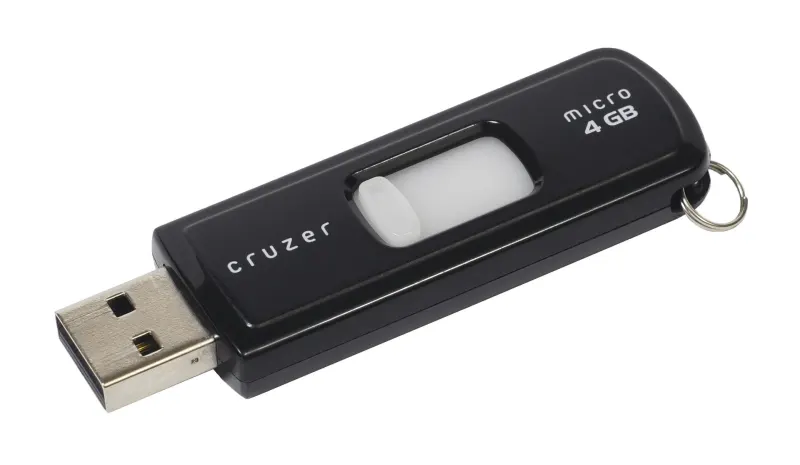
- Format the stick the way the maker says. Singer’s manual says to use FAT32 and USB 2.0 or 3.0 media (p.19).
- Size can matter. Janome’s documents give maximum USB stick sizes for three models: 16 GB for the MC15000, 4 GB for the MC12000, and 2 GB for the MC230E. We did not find a size limit for the 400E or 550E.
- Folders can matter. Janome says the MC12000 creates folders named EMB and Embf on a stick it formats.
- Brother stores what you save as .phc. Brother’s manuals say a design you save from the machine, whatever extension it came in with, is saved as a .phc data file. The PE545 manual also warns that data not made by Brother’s systems may cause the machine to malfunction. That is the maker’s caution; we cannot say how often it happens.
- Memory is finite. The PE900 manual lists memory of 1024 KB or 20 designs.
If your machine does not see the file
- Check the extension against the list in your machine’s manual (the table above, or the USB section of the manual).
- Check the design size. Brother’s PE545 and SE700 manuals give a 10 x 10 cm maximum and 100,000 stitches per design; the PE900 manual gives 180 x 130 mm and 200,000 stitches.
- Check the USB stick. Singer’s manual asks for FAT32. Janome gives maximum stick sizes for some models.
- Check the file name and folder. Brother’s manuals recommend letters, numbers, “-” and “_” in file and folder names. Janome’s MC12000 uses its own folders on a stick it formats.
- Only then convert or buy software. If the format is the problem, see the next section.
If your design is in another format
- Check the list above against your machine’s manual.
- Ask the seller whether the design is sold in your format. Many sellers include several formats in one download.
- Convert it with editing software. Embrilliance Essentials and Ink/Stitch both list several formats they can save, including .PES, .DST, .JEF, and .VP3.
- Review the result on screen before stitching. A conversion cannot add color information a format does not carry.
Choosing a machine? Start with our best embroidery machines roundup, then see the beginner machines guide, the Brother models explained, and our Brother PE900 review. For commercial machines, see the Ricoma EM-1010 review. Our review method explains how we use maker documents.
What we could not assess
- Whether PES stores thread color: Brother’s manuals do not say.
- What .pen means in Brother’s list.
- Format lists for Husqvarna Viking and Bernina by model, and for the Ricoma EM-1010 and Baby Lock models: no maker source.
- USB size limits for Brother, Singer, and the Janome 400E and 550E.
- Whether converted files stitch well on any machine. We have not used these programs or machines.
- Manuals change, and a machine’s firmware (its built-in software) can be updated. Check your machine’s current manual.
Frequently Asked Questions
Do embroidery machines need different file formats?
Yes. Each maker lists the formats its machines read. Brother lists .pes, .phc, .dst, and .pen. Singer’s SE9180 manual says .VP3 only. Janome’s 400E and 550E list .JEF, .JEF+, .JPX, and .DST.
What file format does my embroidery machine use?
Look in the table above, then confirm in your manual. If your model is not listed, the manual’s section on loading designs from USB usually names the formats.
Is PES or DST better?
It depends on your machine. DST works on many machines, but Brother and Hatch both say it carries no thread color. Brother’s manuals do not say whether PES stores color, so use the design seller’s thread chart.
Can I use an SVG on an embroidery machine?
No. An SVG is a drawing, not a set of stitches. It must be digitized and saved in a machine format first.
Do I need software to change a file’s format?
Yes. None of the maker sources we used describe renaming a file as a way to change its format; they describe converting or exporting it in software. Embrilliance Essentials and Ink/Stitch both list the machine formats they can save.
Sources
- Brother PE900 Operation Manual (888-K80), PDF p.60: formats, size, stitch and memory limits; DST color note. Checked October 23, 2026.
- Brother PE545 Operation Manual (888-P30), PDF p.57; SE700 Operation Manual (888-P10), PDF p.98; SE2000 Operation Manual (888-K10), PDF p.117; PP1 Operation Manual (888-R00). Checked October 23, 2026.
- Singer SE9150 to SE9185 manual, p.19 and p.31: .VP3 only, FAT32 USB. Checked October 23, 2026.
- Janome embroidery formats, checked October 23, 2026.
- Janome MC400E Instruction Book, p.58 (PDF) and MC550E Instruction Book, p.64 (PDF). Checked October 23, 2026.
- Janome USB guides: formatting a USB stick for the MC12000 and transferring designs to a USB stick. Checked October 23, 2026.
- Ricoma PM series, checked October 23, 2026.
- Baby Lock handout (2015), checked October 23, 2026.
- Brother Artspira support page, checked October 23, 2026.
- Ink/Stitch supported file formats, checked October 23, 2026.
- Embrilliance FAQ, checked October 23, 2026.
- Hatch: saving designs to DST and Wilcom: machine files and colors, checked October 23, 2026.
- OESD: EXP format with Bernina machines (third-party), checked October 23, 2026.
About the author
The Embroidery Machine Scout team is the site's operator, who also writes as Jordan Hale, and a partner who works on the site with them. The team compiles manufacturer specifications, user manuals, warranty terms, and patterns in owner feedback, and shows where each detail comes from. The team does not run its own machine trials.