How to Evaluate Embroidery Machine Deals and Value
How to judge an embroidery machine deal by comparing field size, included accessories and dealer warranty coverage, not the advertised discount alone.
 By EMS Team
Updated November 15, 2026
We earn a commission if you buy through links on this page, at no extra cost to you. Commissions do not affect how we rate products. As an Amazon Associate I earn from qualifying purchases. Learn more.
Direct Answer: Evaluating an embroidery machine deal requires comparing hoop field size, included accessories, and authorized dealer warranty coverage rather than looking at advertised discounts alone, especially while live retail pricing is hidden.
Finding a reliable embroidery machine at a fair price takes more than a quick glance at a listing. The embroidery machine deals space moves quickly, and the models that look similar on paper can differ a lot in embroidery field size, built-in designs, and how easily they connect to your computer or phone. In this guide, we compare the models we reviewed in November 2026 using manufacturer and listing information, so you can match a machine to the kind of projects you actually plan to make.
Shopping the Black Friday sales (November 27, 2026) or Cyber Monday (November 30)? Decide on the machine first. Sale listings can change what comes in the box, such as extra hoops or thread, without changing the machine, so compare the specifications first, then check what the listing includes.
If you are new to the craft, our guide on how to start machine embroidery is a good companion read before you compare specs. The short version: decide your maximum design size first, then look at connectivity and built-in designs. For a wider view of the market, see our hub page on the best embroidery machines for home use.

Brother SE700 4x4 Embroidery Sewing Combo
- 4 in x 4 in
- Sew + embroider
- 135 designs
Good fit if
- Large built-in design and stitch library
- Wireless PC file transfer without USB
- Color touchscreen simplifies on-screen editing
- Bundle adds four hoops and 40 thread spools
- Compatible with Artspira and iBroidery
Skip it if
- 4 x 4 inch embroidery field limits larger projects
- Mid-range price positions it above entry machines
Paid link. We may earn a commission.
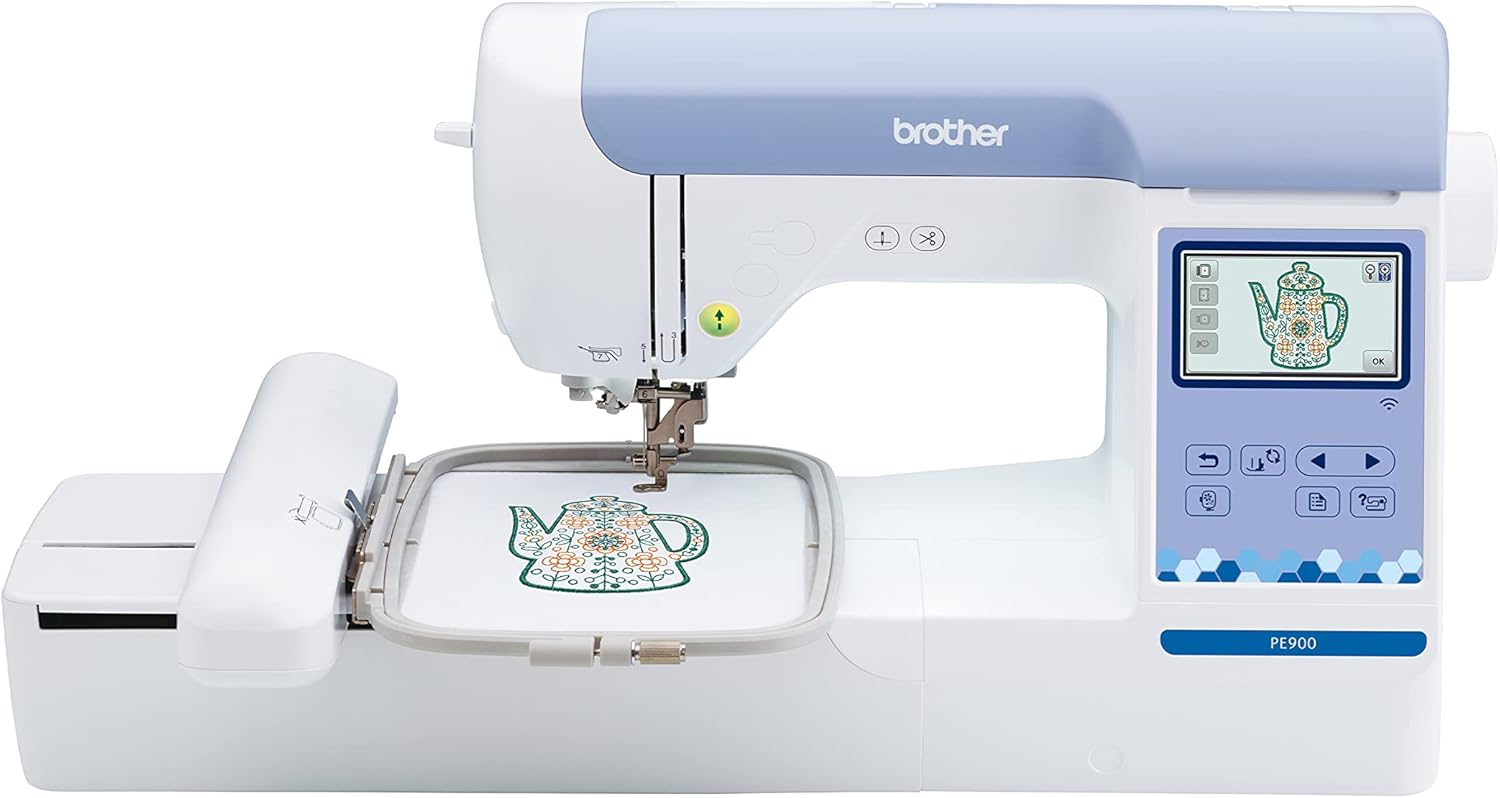
Brother PE900
- 5 in x 7 in
- Embroidery only
- 193 designs
Good fit if
- You only need embroidery and want a 5" x 7" field
- You want wireless design transfer
Skip it if
- You also want a sewing machine in the same unit
- Your designs fit in 4" x 4" and you want a smaller-field machine
Check price on AmazonRead our full review
Paid link. We may earn a commission.

Brother SE700
- 4 in x 4 in
- Sew + embroider
- 135 designs
Good fit if
- You want one machine for sewing and small embroidery
- Your designs fit in 4" x 4"
Skip it if
- You expect to stitch designs larger than 4" x 4"
- You already own a sewing machine and only need embroidery
Check price on AmazonRead our full review
Paid link. We may earn a commission.
Embroidery Machine Deals Buying Guide
Here is what to weigh before you buy.
Embroidery Field Size
The maximum embroidery field is the single biggest factor in what you can stitch.
Watch for bundles that include hoops larger than the machine’s listed field. A hoop can be larger than the stitchable area, but the machine cannot embroider beyond its maximum field. Confirm in the manual which hoops the machine accepts and what area each one actually stitches.
Sewing and Embroidery Combo or Embroidery Only
Two of the models here are combos that sew and embroider, while the PE900 is embroidery only. A combo makes sense if you also want to hem, zip, and finish seams on the same machine. An embroidery only unit makes sense if you already own a sewing machine you like and want to put your budget into embroidery features.
Built-in Designs and Lettering
The SE700 models list 135 built-in embroidery designs and 10 embroidery lettering fonts. The PE900 lists 193 built-in designs and 13 lettering fonts. More designs mean less time hunting for files early on. Lettering font count matters if you personalize gifts often.
Connectivity and the Artspira App
The sources describe wireless LAN and the Artspira mobile app on these models, with the app allowing you to draw custom patterns on a mobile device and transfer them to the machine wirelessly; check the spec sheet for each model's exact capabilities. The PE900 listing mentions 50 free designs through the app. If you work from a computer, check that the free Design Database Transfer software supports your operating system before you buy.
For projects like totes and pouches, see our notes on an embroidery machine for bags to judge whether a 4 x 4 field is enough for your typical panel size.
Screen and On-screen Editing
An on-screen display lets you preview a design, rotate it, and change its size before you stitch. That saves time and wasted thread. Screen type and size vary by model, so check the spec sheet rather than assuming two machines match.
Thread Handling Features
The PE900 lists Advanced Color Sort, which reorders multi-color designs to reduce thread changes, and Jump Stitch Trimming, which trims thread jumps within a color. The SE700 models list an automatic needle threader and a quick-set bobbin.
How to Judge an Embroidery Machine Deal
A lower price only helps if the machine fits your projects. Use this short checklist before you click buy:
- Confirm the embroidery field matches the largest design you expect to stitch.
- Check what ships in the box, such as hoops, bobbins, thread, and a needle set.
- Make sure the seller is clearly listed and the model is a current US version. Our guide to US and international embroidery machine models explains why that matters.
- Read the warranty terms and confirm how support works if something goes wrong.
Listing prices change often, so check the current price on the product page before you decide. A deal on a machine that is too small for your plans is not a deal.
What we could not assess
Stitch quality, noise and long-term reliability, because we compare machines from listings and manufacturer documents, not our own use. The SE700 and PE900 figures here (135 and 193 designs, 10 and 13 fonts) match Brother’s pages. We cannot say which listings are discounted at any given time, so this page does not rank deals. How We Review lists the limits of our method.
Why You Should Trust Us
This guide is based on manufacturer specifications and listing information for the models we reviewed. We do not conduct our own product trials. We compare stated embroidery fields, built-in design counts, connectivity options, and included accessories, and we flag anything that needs confirmation in the manual.
We do not claim to have stitched on these machines. Where the data is silent, such as stitch quality or long-term reliability, we say so rather than guess. Ratings shown in the product block come from the listing data.
Final Thoughts
Skip it if you regularly stitch designs wider than 4 inches.
Skip it if you need one machine to sew seams and hems too.
The extra hoops and thread spools add convenience, but confirm in the manual which hoops the 4 x 4 field supports. For jacket backs and other large panels, read our guide to choosing an embroidery machine for jackets.
Related guides
- Best Embroidery Machines for Home Use: 7 Machines Rated on One Scale
- Brother PE900 Review: A 5×7 Embroidery-Only Machine With Mixed Customer Reviews
- Brother SE700 Review: Who This 4×4 Sewing and Embroidery Combo Fits
- Embroidery Machine Black Friday Deals: Buying Guide
- Best Embroidery Machines for Beginners: 5 Machines Rated
FAQs
What are the best embroidery machine deals?
It depends on your design size. Start with the embroidery field you need, then compare built-in designs, connectivity, and whether you want a combo or an embroidery only unit. The lowest listed price is only a good deal if the machine fits your projects.
Can a 4 x 4 inch machine handle most beginner projects?
Larger designs need to be split or scaled down. If you plan to stitch big panels, start with a larger field instead.
Do these machines need a computer to work?
No. Each model comes with built-in designs and an on-screen display for editing, so you can stitch without a computer; check the spec sheet for the exact screen type and size on each one. Wireless LAN and the Artspira app add options for sending your own designs, and the free Design Database Transfer software is listed for computer transfers.
Is an embroidery only machine worth it?
It can be, if you already own a sewing machine you like and want your budget to go toward embroidery features. If you want one machine for both jobs, a combo is the simpler choice. Our beginner machine comparison walks through the tradeoffs.
This article was written by the Embroidery Machine Scout editorial team from manufacturer and listing information. We do not conduct our own product trials.
Sources
- Manufacturer product pages: Brother SE700 and Brother PE900 (read November 14, 2026).
- Amazon product listings shown in the product blocks on this page, for listed specifications and included accessories (accessed October 31 to November 1, 2026).
About the author
The Embroidery Machine Scout team is the site's operator, who also writes as Jordan Hale, and a partner who works on the site with them. The team compiles manufacturer specifications, user manuals, warranty terms, and patterns in owner feedback, and shows where each detail comes from. The team does not run its own machine trials.