Embroidery Machine for Shirts, Uniforms and Large Designs: What the Manuals Say
What Brother's manuals say about hooping and stabilizer for shirts, how large a design the machine can stitch, split designs, and why uniform volume needs a different tool.
 By EMS Team
Updated November 24, 2026
We earn a commission if you buy through links on this page, at no extra cost to you. Commissions do not affect how we rate products. As an Amazon Associate I earn from qualifying purchases. Learn more.
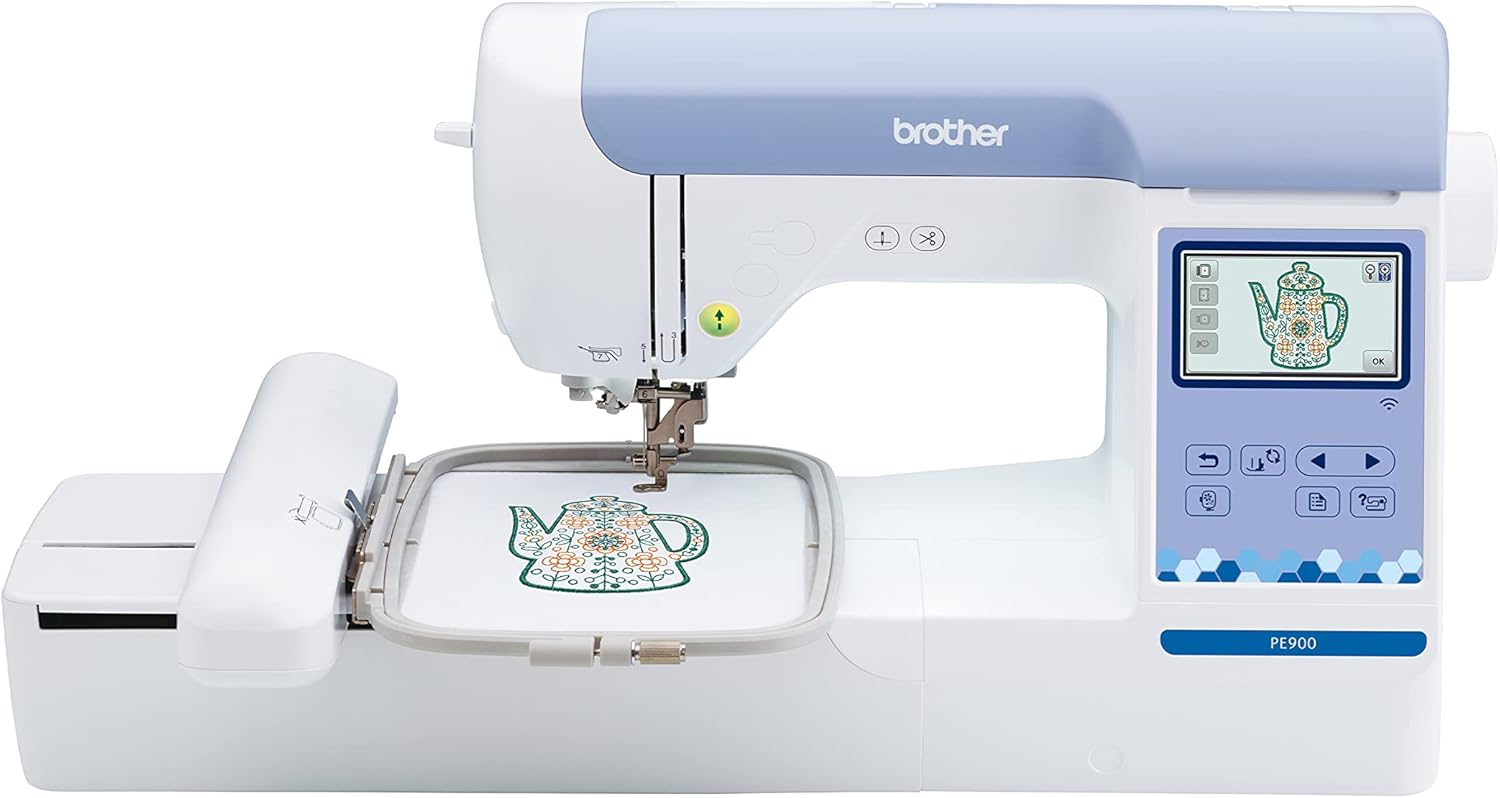
Short answer: for shirts and uniform logos, what decides the result is hooping and stabilizer more than the machine. Brother’s manuals say to always use a stabilizer on stretch and lightweight fabrics and to hoop the fabric taut without distorting it. Machine size matters when a design is bigger than the frame: the Brother PE900 and SE2000 stitch up to 180 x 130 mm (about 7 x 5 inches), the SE700 up to 10 x 10 cm (4 x 4 inches). A single-needle home machine is not built for uniform volume.
This guide is based on the operation manuals for the Brother PE900, SE700 and SE2000, read on November 24, 2026. We have not used these machines ourselves, and we say where a manual is silent.
Shirts: hooping and stabilizer
- Use a stabilizer on knits. The manuals say to always use one when embroidering stretch fabrics, lightweight fabrics, fabrics with a coarse weave or fabrics that cause pattern shrinkage; otherwise the needle may break. Iron-on stabilizer goes on the wrong side and should be larger than the frame. Our stabilizer guide covers the types.
- Hoop on a level surface. The PE900 manual says to insert the fabric on a level surface and gently pull it taut, being careful not to distort it. If fabric is not held securely, it says the pattern will stitch poorly.
- Small pieces. For pieces too small to hoop, the manual says to use stabilizer as a base, lightly iron the fabric to it, and hoop the stabilizer.
- Do not use a frame that is too small. The manual warns that the presser foot may strike a frame that is too small, so pick a frame the screen shows as available for your design.
Uniforms: what a home machine can and cannot do
A uniform job is a logo repeated on many garments. The manuals we read describe how to stitch one design at a time, and they give no throughput figures. In our reading, a single-needle home machine suits a few uniform pieces, and is the wrong tool for daily volume; for that, see single needle vs multi needle. For fabric thickness and jackets, see our thick fabric, leather and jackets guide.
Large designs: what fits on a shirt and what needs a bigger field
Size is a question about the frame, not the garment. Brother’s manuals state the maximum pattern size for each machine:
| Machine | Maximum embroidery pattern size | Type |
|---|---|---|
| Brother PE900 | 180 x 130 mm (about 7 x 5 in) | Embroidery only |
| Brother SE2000 | 180 x 130 mm (about 7 x 5 in) | Sewing and embroidery |
| Brother SE700 | 10 x 10 cm (4 x 4 in) | Sewing and embroidery |
The PE900 manual lists a large frame of 18 x 13 cm, and says a magnetic frame of 18 x 10 cm, a medium frame of 10 x 10 cm and a small frame of 2 x 6 cm are sold separately. If a pattern is larger than the frame you selected, the machine shows the message “Pattern extends to the outside of embroidery frame” and asks you to select a larger frame. Measure your design against the frame before you hoop. Our hoop size guide shows what fits where.
Designs bigger than the frame. The PE900 manual says split embroidery patterns created with PE-DESIGN version 7 or later can be stitched: a design larger than the hoop is divided into sections that combine into one pattern after each section is stitched. That needs Brother’s PE-DESIGN software, and we could not confirm which operating systems it supports; see our Mac compatibility guide. On large garments, the manuals say not to let the fabric hang off the table, or the embroidery unit cannot move freely and the pattern may not turn out as planned.
Three machines whose manuals we read
These are examples, not a ranking. The PE900 and SE2000 share the 180 x 130 mm limit; the SE2000 also sews. The SE700 is a sewing and embroidery combo with the smaller 4 x 4 inch limit, so check that your design fits within it.
Brother PE900
- 5 in x 7 in
- Embroidery only
- 193 designs
Good fit if
- You only need embroidery and want a 5" x 7" field
- You want wireless design transfer
Skip it if
- You also want a sewing machine in the same unit
- Your designs fit in 4" x 4" and you want a smaller-field machine
Check price on AmazonRead our full review
Paid link. We may earn a commission.

Brother SE2000
- 5 in x 7 in
- Sew + embroider
- 193 designs
Good fit if
- You want one machine for sewing and 5" x 7" embroidery
- You value a larger built-in stitch selection and a knee lifter
Skip it if
- Your designs fit in 4" x 4" and you want to spend less
- You already own a sewing machine and only need embroidery
Check price on AmazonRead our full review
Paid link. We may earn a commission.

Brother SE700
- 4 in x 4 in
- Sew + embroider
- 135 designs
Good fit if
- You want one machine for sewing and small embroidery
- Your designs fit in 4" x 4"
Skip it if
- You expect to stitch designs larger than 4" x 4"
- You already own a sewing machine and only need embroidery
Check price on AmazonRead our full review
Paid link. We may earn a commission.
Who should skip these machines
- Anyone stitching many uniforms a day. The manuals give no throughput, and a single-needle home machine is not built for it.
- Anyone whose designs are regularly larger than 180 x 130 mm and who cannot use split patterns or software to make them.
- Anyone who expects the SE700’s 4 x 4 inch field to take full-chest designs.
What we could not confirm
We found no source that states typical logo sizes for shirts or uniforms, or a stitching speed for a uniform job. We read only Brother manuals, and we could not confirm the operating systems PE-DESIGN supports. See How We Review.
Frequently asked questions
Do I need a stabilizer on a T-shirt?
Brother’s manuals say to always use one on stretch and lightweight fabrics, or the needle may break.
What if my design is bigger than the frame?
Select a larger frame if the machine offers one, or use a split pattern made in PE-DESIGN version 7 or later, as the PE900 manual describes.
Is a home machine enough for a uniform order?
For a few pieces, in our reading, yes. For daily volume, a single-needle home machine is the wrong tool.
Related guides
- Brother PE900 review
- Brother SE2000 review
- Brother SE700 review
- Best embroidery machines for beginners
Sources
- Brother PE900 Operation Manual (888-K80): embroidery preparation, hooping, split embroidery patterns, pattern editing and Troubleshooting sections (read November 24, 2026).
- Brother SE700 (888-P10) and SE2000 (888-K10) Operation Manuals: Specifications and embroidery preparation cautions (read November 24, 2026).
This article was written by the Embroidery Machine Scout editorial team from manufacturer documents. We do not conduct our own product trials.
About the author
The Embroidery Machine Scout team is the site's operator, who also writes as Jordan Hale, and a partner who works on the site with them. The team compiles manufacturer specifications, user manuals, warranty terms, and patterns in owner feedback, and shows where each detail comes from. The team does not run its own machine trials.