Embroidery Machine vs Hand Embroidery: Which to Choose
Machine embroidery against hand embroidery, compared on time, control, learning curve and what each lets you make.
 By Jordan Hale
Updated November 24, 2026
We earn a commission if you buy through links on this page, at no extra cost to you. Commissions do not affect how we rate products. As an Amazon Associate I earn from qualifying purchases. Learn more.
Choosing between an embroidery machine and hand embroidery is really a question about time, control, and what you want to make. Hand embroidery gives you total control over every stitch and needs almost no equipment, but it is slow and hard to reproduce the same design twice. A machine handles the repetition for you, yet it comes with a learning curve, software, and hoops to manage. In this guide we compare embroidery machine vs hand embroidery and review the machines in November 2026 to help you decide which path fits your projects, your space, and your patience. If you are still working out which type of machine suits you, our guide on what type of embroidery machine you need is a good next step.
Short answer: choose a machine if you want repeatable designs and can manage a learning curve, software and hoops. Choose hand embroidery if you enjoy slow handwork and want full control of every stitch. If you need to sew garments too, note that the PE545 and PE900 are embroidery only.


Brother SE700 4x4 Embroidery Sewing Combo
- 4 in x 4 in
- Sew + embroider
- 135 designs
Good fit if
- Large built-in design and stitch library
- Wireless PC file transfer without USB
- Color touchscreen simplifies on-screen editing
- Bundle adds four hoops and 40 thread spools
- Compatible with Artspira and iBroidery
Skip it if
- 4 x 4 inch embroidery field limits larger projects
- Mid-range price positions it above entry machines
Paid link. We may earn a commission.
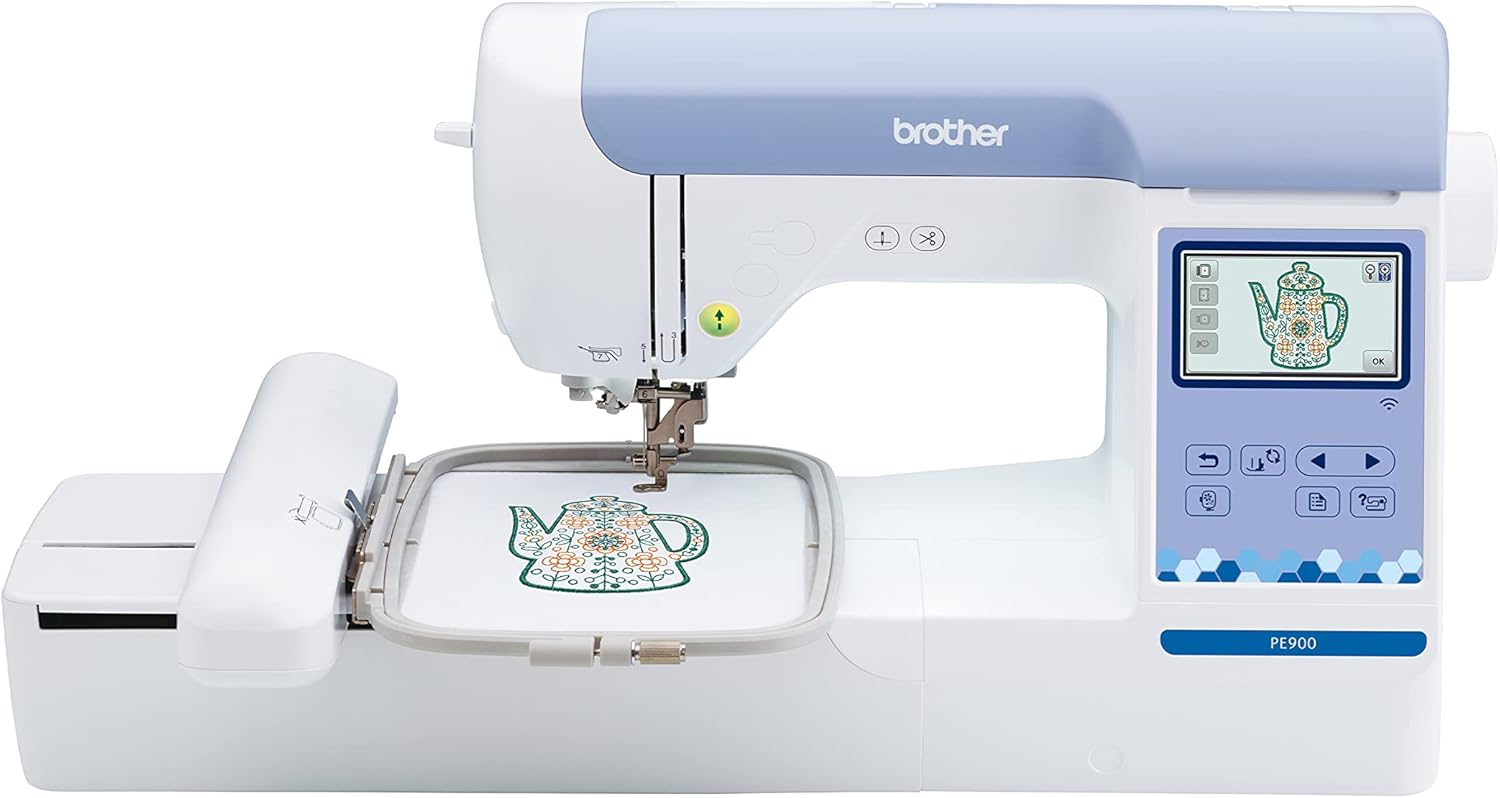
Brother PE900
- 5 in x 7 in
- Embroidery only
- 193 designs
Good fit if
- You only need embroidery and want a 5" x 7" field
- You want wireless design transfer
Skip it if
- You also want a sewing machine in the same unit
- Your designs fit in 4" x 4" and you want a smaller-field machine
Check price on AmazonRead our full review
Paid link. We may earn a commission.

Brother PE545
- 4 in x 4 in
- Embroidery only
- 135 designs
Good fit if
- You only need embroidery for small designs
- You want wireless design transfer
Skip it if
- You expect to stitch designs larger than 4" x 4"
- You also want a sewing machine in the same unit
Paid link. We may earn a commission.

Brother SE700
- 4 in x 4 in
- Sew + embroider
- 135 designs
Good fit if
- You want one machine for sewing and small embroidery
- Your designs fit in 4" x 4"
Skip it if
- You expect to stitch designs larger than 4" x 4"
- You already own a sewing machine and only need embroidery
Check price on AmazonRead our full review
Paid link. We may earn a commission.
Embroidery Machine Vs Hand Embroidery Buying Guide
Before you compare models, it helps to understand what separates a good machine from a frustrating one. The criteria below apply whether you are buying your first embroidery machine or upgrading from hand work.
Embroidery Field and Hoop Sizes
The embroidery field is the largest area a machine can stitch in one hooping. A 4 x 4 inch field suits monograms, small motifs, and children’s items. A 5 x 7 inch field opens up larger designs such as jacket backs and quilt blocks. Never assume a machine can stitch beyond its listed field, even if a bundle includes a larger hoop.
Hand embroidery has no field limit, which is its main advantage. You can work any size fabric. The trade-off is that large hand projects take many hours. If your designs are usually small and repeatable, a 4 x 4 field is enough. If you plan to stitch larger pieces, look at the 5 x 7 field on the Brother PE900 Wireless Embroidery Machine.
Built-in Designs and Lettering
Built-in designs let you start stitching without any design software. The machines in this guide list 135 built-in designs, and the PE900 lists 193 plus 13 lettering fonts. More designs are convenient, but the fonts matter just as much if you plan to personalize gifts. Check how many English fonts are included if names and monograms are your focus.
Hand embroidery gives you unlimited design freedom because you draw or transfer any pattern you like. A machine is limited to built-in designs, designs you import, or patterns you create in an app. The Brother Artspira app, available on these models, lets you draw custom patterns on a mobile device and transfer them wirelessly. That closes much of the gap, but it is still a digital workflow. For more on how these files work, see our guide to embroidery file formats.
Sewing and Embroidery in One Machine
Some machines are combos that sew and embroider, while others are embroidery only. The Brother SE700 models are combos with 103 built-in sewing stitches and multiple feet, so one machine covers garment construction and decorative stitching. The Brother PE545 and PE900 are embroidery only and do not function as traditional sewing machines.
This is the clearest practical difference for beginners. If you also sew garments or quilts, a combo saves space and money. If you only embroider, an embroidery-only machine puts more of the cost into embroidery features.
Connectivity and Ease of Use
Wireless LAN and app support change how you get designs onto the machine. All four models here support wireless transfer and the Artspira app, and each has a color touchscreen. Screen size affects how easily you can edit, resize, and position designs on the machine.
Hand embroidery needs no power, no software, and no screen. That simplicity is real, but so is the time cost. If you value repeatability and speed, connectivity features are worth prioritizing. If you value quiet, portable work, hand embroidery still wins. Our article on how a machine embroidery machine works explains the stitching process in more detail.
Budget and Value Tiers
Prices differ across the machines in this comparison, which reflects differences in field size, design count, and bundle contents. The two SE700 listings sit in between, and the listing data shows they come with different bundle contents, so check the spec sheet for each before you choose.
Hand embroidery has a much lower entry cost, but it costs time on every project. A machine is an upfront investment that pays back in speed on repeat designs. Decide which cost matters more to you before comparing prices.
Who should skip these machines
- Skip machine embroidery if you enjoy slow handwork and want full control of every stitch; a machine suits repeatable designs.
- Skip the PE545 and PE900 if you need to sew garments, since they are embroidery only.
- Skip hand embroidery if you need many identical items quickly.
What we could not assess
Stitch quality, noise and long-term reliability, because we compare machines from listings and manufacturer documents, not our own use. We cannot say how the two methods compare for time, cost or finished quality, because we compared specifications, not finished work. The SE700, PE545 and PE900 figures here (4 x 4 and 5 x 7 inch fields, 135 and 193 designs, 13 fonts, 103 stitches, 3.7 inch screen on the PE545) match Brother’s pages. How We Review lists the limits of our method.
Why You Should Trust Us
This guide is based on manufacturer specifications and listing information for the machines we reviewed. We did not physically test these machines, so we focus on documented features such as embroidery field size, built-in design counts, display size, and connectivity. Where the data is unclear or conflicting, we say so and point you to the spec sheet or manual rather than guessing.
Our goal is to help you compare like for like. We highlight who each machine suits and who should skip it, including limitations such as embroidery-only operation or a smaller field. Ratings shown in the product block come from the listing data and are not our own scores.
Final Thoughts
For most people comparing embroidery machine vs hand embroidery, the decision comes down to how much you sew versus how much you embroider. If you want one machine for both, the Brother SE700 Sewing and Embroidery Machine is our best overall pick. It combines a 4 x 4 embroidery field with 103 sewing stitches, wireless transfer, and a color touchscreen. The bundle version, the Brother SE700 Combo Embroidery & Sewing Machine, adds hoops, thread, and accessories, which suits buyers who want to start stitching without extra shopping. Confirm in the manual which hoops the machine accepts before relying on the larger hoop in the bundle.
For the best value, the Brother PE545 Wireless Embroidery Machine still offers a 4 x 4 field, 135 designs, wireless transfer, and a 3.7 inch touchscreen. It suits embroiderers who already own a sewing machine. Skip it if you need to sew garments, because it is embroidery only. For larger designs, the Brother PE900 Wireless Embroidery Machine is the pick, with a 5 x 7 field, 193 designs, and 13 fonts. It is also embroidery only, so it makes sense for dedicated embroiderers rather than mixed-use buyers. For more options, browse our best embroidery machine for monogramming guide.

FAQs
Is machine embroidery faster than hand embroidery?
Yes, for repeat designs. Once a machine is hooped and set up, it stitches the design automatically, while hand embroidery can take hours for a comparable motif. Hand work still wins for portability and for one-of-a-kind texture.
Can I use hand embroidery designs on a machine?
Only if the design is digitized into a machine file format the machine can read. Hand-drawn patterns need to be converted first. Our guide to embroidery file formats explains which formats these machines accept.
Do I need a combo sewing and embroidery machine?
Only if you also sew garments, quilts, or home decor. The SE700 models sew and embroider, while the PE545 and PE900 are embroidery only. If you already own a sewing machine, an embroidery-only model puts more of your budget into embroidery features.
Sources
- Brother USA product pages: Brother SE700, Brother PE900 and Brother PE545 (read November 14, 2026).
- Amazon product listings for Brother SE700 4×4 Embroidery Sewing Combo (B0FR9T37F4), Brother PE900 (B0B8337QHR), Brother PE545 (B0B8DSJKTH), Brother SE700 (B0B8DYP1RN), including listed specifications, features, and included accessories (accessed October 31 to November 1, 2026).
This article was written by the Embroidery Machine Scout editorial team from manufacturer and listing information. We do not conduct our own product trials.
About the author

Jordan Hale is a pen name used by the site's operator. Jordan researches and edits the buying guides at Embroidery Machine Scout. Jordan compiles manufacturer specifications, user manuals, and patterns in owner feedback to compare home and small-business embroidery machines. Jordan does not physically operate the machines reviewed here; every recommendation states its sources and the date they were checked.