Brother PE800 Review and Buying Guide
The Brother PE800 is an embroidery-only machine with a 5 x 7 inch field and 138 built-in designs, listed by Brother as discontinued. This review covers its specifications, what owners report, and who should skip it.
 By Jordan Hale
Updated November 24, 2026
We earn a commission if you buy through links on this page, at no extra cost to you. Commissions do not affect how we rate products. As an Amazon Associate I earn from qualifying purchases. Learn more.
Short answer: the Brother PE800 is an embroidery-only machine with a 5 x 7 inch field and 138 built-in designs, but Brother lists it as discontinued and USB only. Skip it if you want a new machine with Brother support, wireless design transfer, or a machine that also sews; several owners describe thread and bobbin trouble.
This review covers the PE800 as Brother lists it, with the PE900 and SE2000 as points of comparison. For the whole lineup, see Brother embroidery machine models explained. If you are still deciding between machine types, our guide on what type of embroidery machine you need is a good starting point.

Brother PE800
- 5 in x 7 in
- Embroidery only
- 138 designs
Good fit if
- You only need embroidery and want a 5" x 7" field
- You are fine loading designs by USB
Skip it if
- You also want a sewing machine in the same unit
- You want wireless design transfer (not listed for this model)
Paid link. We may earn a commission.
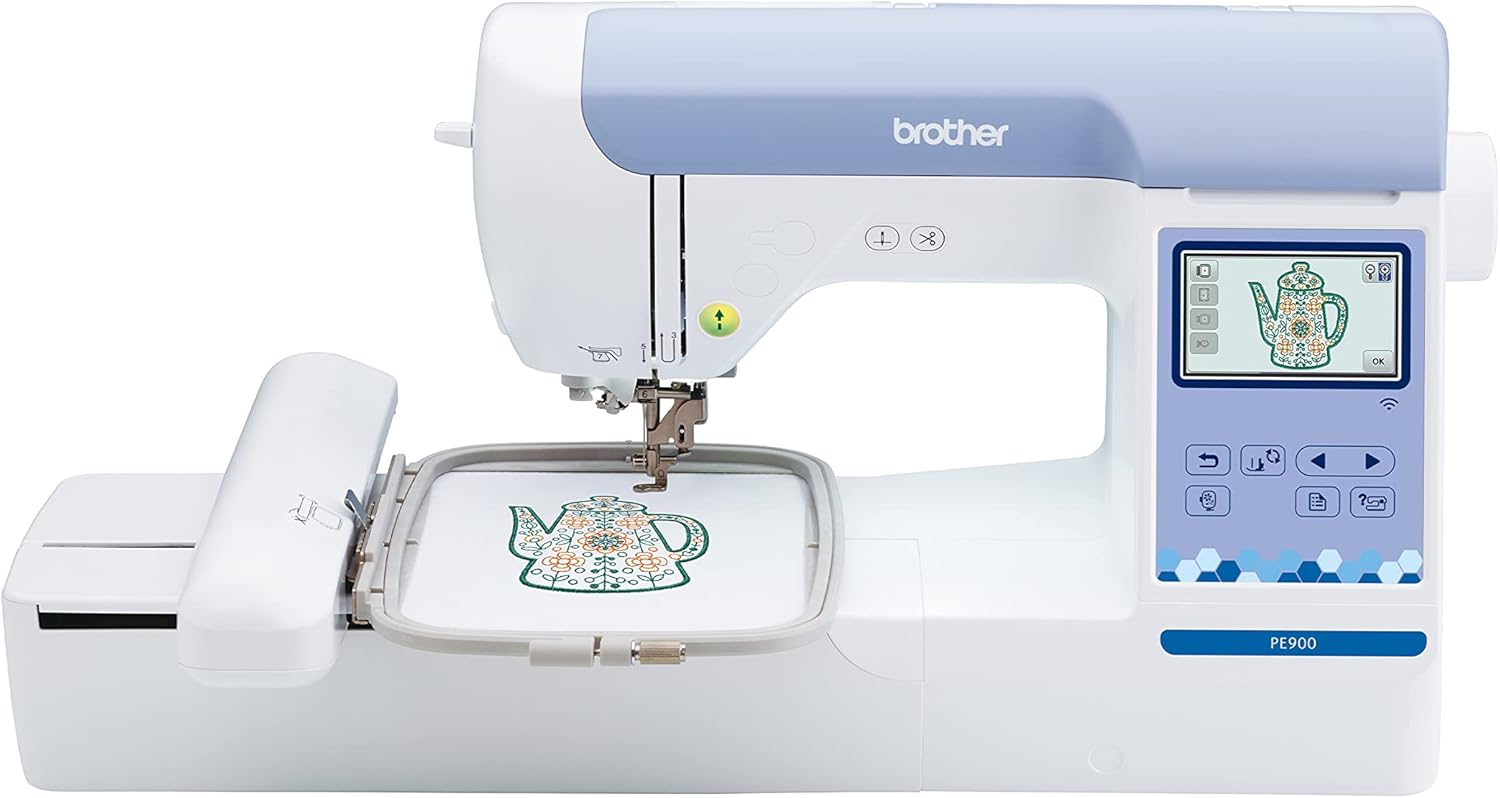
Brother PE900
- 5 in x 7 in
- Embroidery only
- 193 designs
Good fit if
- You only need embroidery and want a 5" x 7" field
- You want wireless design transfer
Skip it if
- You also want a sewing machine in the same unit
- Your designs fit in 4" x 4" and you want a smaller-field machine
Check price on AmazonRead our full review
Paid link. We may earn a commission.
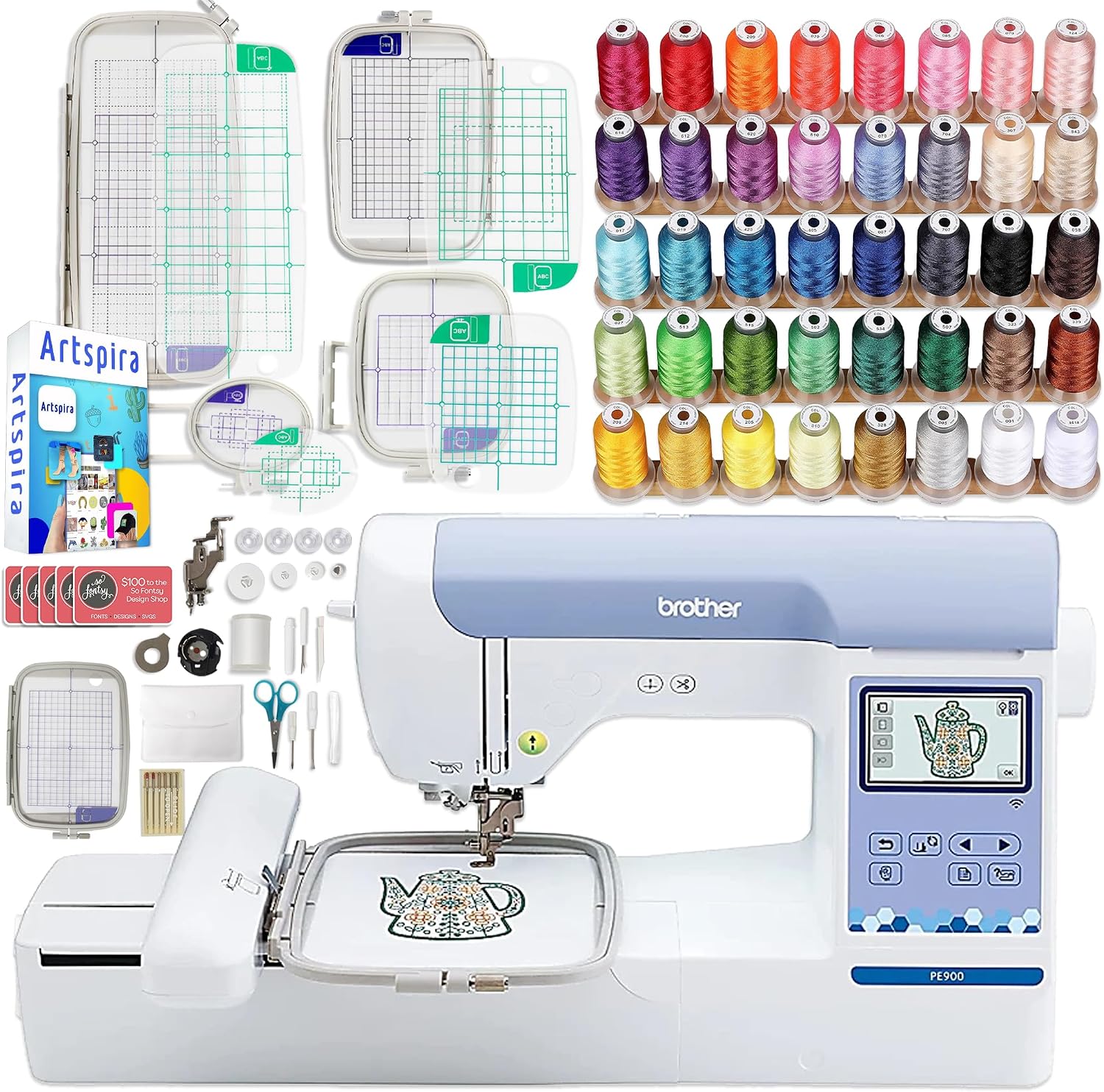
Brother PE900 5x7 Embroidery Machine Bundle
- 5 in x 7 in
- Embroidery only
- 193 designs
Good fit if
- Large 5 by 7 inch hoop area for bigger designs
- 193 designs and 13 fonts built in
- On-screen editing with zoom and letter editing
- Bundle includes five hoops and 40 thread spools
- Artspira app supports wireless design transfer
Skip it if
- Embroidery only, no sewing functions
- 20 pounds and 17 inches wide limits portability
Paid link. We may earn a commission.

Brother SE2000
- 5 in x 7 in
- Sew + embroider
- 193 designs
Good fit if
- You want one machine for sewing and 5" x 7" embroidery
- You value a larger built-in stitch selection and a knee lifter
Skip it if
- Your designs fit in 4" x 4" and you want to spend less
- You already own a sewing machine and only need embroidery
Check price on AmazonRead our full review
Paid link. We may earn a commission.

Brother PE545
- 4 in x 4 in
- Embroidery only
- 135 designs
Good fit if
- You only need embroidery for small designs
- You want wireless design transfer
Skip it if
- You expect to stitch designs larger than 4" x 4"
- You also want a sewing machine in the same unit
Paid link. We may earn a commission.
Brother PE800 Review: What to Check Before You Buy
Before you compare specific models, it helps to understand the features that matter most. The criteria below are based on manufacturer specifications and listing details. We do not conduct our own product trials.
Embroidery Field Size
The embroidery field is the maximum area a machine can stitch in one hooping. Most models in this guide offer a 5 x 7 inch field, which handles larger designs, monograms, and small quilt blocks. The Brother SE700 and the Brother PE545 list a 4 x 4 inch embroidery field, so check the spec sheet to see whether that area fits the designs you have in mind. Always match the field to the designs you plan to stitch most often. If you frequently work with large designs, a 5 x 7 inch field gives you more flexibility. Our embroidery machine hoop size guide explains what fits in each hoop.
Built-in Designs and Fonts
Built-in designs let you start stitching without importing files. More designs are convenient, but the quality and variety matter as much as the count. Check whether the library includes the styles you actually use, such as florals, quilting motifs, or children’s designs.
Connectivity and Design Transfer
USB ports let you transfer designs from a computer, while wireless LAN and the Artspira mobile app add cable-free transfer and on-the-go pattern creation. The PE800 has a USB port for importing your own embroidery designs into the machine's built-in memory. If you like editing designs on a tablet or phone, wireless connectivity is worth prioritizing. For a deeper look at how these tools work, see our overview of brother embroidery software.
Sewing and Embroidery Combo vs Embroidery Only
Embroidery-only machines focus on stitching designs, and the embroidery field size varies by model, so check the spec sheet for each machine you consider. Combo machines like the SE2000 and SE700 add traditional sewing stitches, buttonholes, and sewing feet, which is helpful if you want one machine for garment construction and embroidery. The trade-off is that combo machines split their features between sewing and embroidery, so compare the listed embroidery field of each model before you decide. Decide whether you need sewing capabilities or want to dedicate a machine to embroidery.
Screen, Editing, and Ease of Use
A color touchscreen makes it easier to preview designs, resize, rotate, and reposition before stitching. Larger screens generally make on-screen editing more comfortable. Also look for features like advanced color sort and jump stitch trimming, which reduce color changes and thread cleanup on multi-color designs.
Bundles, Hoops, and Accessories
Some listings bundle extra hoops, thread, and accessories. Bundles can save money if you need those items, but confirm which hoops the machine accepts in the manual, especially if a bundle lists a hoop larger than the machine's maximum embroidery field. For gift ideas and supplies, see our guide to gifts for machine embroiderers.
Brother PE800 status and specifications, as Brother lists them
Brother USA’s PE800 product page (read November 14, 2026) carries a “Discontinued” badge and shows the machine as out of stock. If you are looking at a new PE800 from a third-party seller or a used one, treat availability, service and accessories as things to confirm yourself. The figures below come from that page; where the page is inconsistent we say so.
| Feature | What Brother lists |
|---|---|
| Maximum embroidery area | 5″ x 7″ |
| Hoop in the carton | 5″ x 7″ embroidery hoop |
| Built-in designs | 138, including 10 frame designs |
| Built-in lettering fonts | The description says 11 fonts; the specification table on the same page says 7 lettering fonts. We could not reconcile the two, so check before you rely on either number |
| Screen | Color LCD touch panel, 3.2″ x 1.8″ |
| Thread handling | Advanced needle threading, automatic thread cutter, upper and bobbin thread sensors, automatic thread tension |
| Loading designs | One USB port and built-in memory; no wireless LAN is listed on the page |
| Editing | Drag and drop editing; rotation in 1, 10 and 90 degree steps |
| Unit dimensions | 17.48″ x 9.48″ x 11.81″ |
| Warranty label | 1/2/25 year limited warranty |
What owners report about the PE800
We read the written reviews on Brother USA’s PE800 page on November 14, 2026, setting aside reviews the page labels as incentivized. The most recent review on the page is from 2024, and these are individual reports, not rates, so we give themes, not counts.
- Praise: owners describe it as beginner friendly and fun to use, and like the built-in designs.
- Thread and bobbin trouble: several describe thread breaking or jamming, bobbin problems, tension that is hard to set, or puckering on knit shirts despite changing tension and stabilizer.
- Needle threader: some report the automatic threader failing, and one describes its plastic lever breaking.
- Service: some describe a machine that broke down within the first year, and a long trip to an authorized dealer for repair. A few say they did not get a reply from customer service.
- Learning curve and expectations: one says the learning curve was steep; one bought it expecting to sew and found it only embroiders.
Who should skip the Brother PE800
- Anyone who wants a new machine with Brother support behind it. Brother lists the PE800 as discontinued.
- Anyone who wants wireless design transfer. The page lists USB only; the PE900 in this guide lists wireless LAN.
- Anyone who also wants to sew. It is an embroidery-only machine.
What we could not assess
Stitch quality, noise and long-term reliability, because we assess machines from manufacturer documents and owner reports, not our own use. We cannot tell how common the thread, threader and service problems are; owner reports on a manufacturer page are individual accounts. We did not read the warranty terms beyond Brother’s label, and we could not confirm the font count (see the table). How We Review lists these limits.
Why You Should Trust Us
Our recommendations are based on manufacturer specifications and listing details. We do not conduct our own product trials. We compared embroidery field size, built-in designs and fonts, connectivity, screen size, and included accessories across the models covered here. We do not claim to have used these machines, and we encourage you to verify details such as hoop compatibility and voltage requirements in the product manual or spec sheet before buying.
Final Thoughts
The PE800 offers a 5 x 7 inch field, 138 built-in designs, a font count that Brother’s page gives as both 11 and 7, and a 3.2 inch touchscreen. The product data lists a USB port for importing designs; check the spec sheet for the full list of connection options. If wireless transfer and a larger design library matter to you, the Brother PE900 Wireless Embroidery Machine adds wireless LAN, the Artspira app, 193 designs, and a 3.7 inch screen.
If you want a dedicated combo machine with a 5 x 7 inch field, the Brother SE2000 Sewing and Embroidery Machine offers 241 sewing stitches, 193 embroidery designs, and wireless connectivity. For a bundle with extra hoops and thread, the Brother PE900 5 x 7 Embroidery Machine with 5pc set is worth considering. You can also compare two popular models in our brother SE700 vs PE900 guide.
Related guides
- Brother Embroidery Machine Models Explained: PE vs SE and Look-Alike Models
- Brother PE900 Review: A 5×7 Embroidery-Only Machine With Mixed Customer Reviews
- Brother SE2000 Review: A 5×7 Combo for People Who Sew Often
- Brother SE700 Review: Who This 4×4 Sewing and Embroidery Combo Fits
- Brother PE800 vs PE900: Which 5×7 Embroidery Machine Fits You?
- Brother PE800 vs Janome 500E: Embroidery Machine Comparison
- Brother SE725 Review: Buying Guide and Model Comparison
Brother PE800 FAQs
Is the Brother PE800 a good choice for beginners?
Beginners often start with a machine that has a straightforward interface and a reasonable embroidery field. The Brother PE545 and Brother SE700 are good entry points, while the PE800 offers a larger 5 x 7 inch field if you want room to grow. Consider how much guidance you want from built-in designs and tutorials.
Do I need a wireless embroidery machine?
Wireless connectivity is convenient if you frequently transfer designs from a computer or create patterns on a mobile device with the Artspira app. If you are comfortable using a USB drive, a machine like the PE800 can meet your needs without wireless features.
Can these machines sew regular stitches?
Embroidery-only models such as the PE800, PE900, and PE545 do not function as traditional sewing machines. Combo models like the SE2000 and SE700 include sewing stitches and sewing feet. Choose based on whether you need one machine for both tasks. For more help, see our guide on embroidery machine vs hand embroidery.
What embroidery field size should I choose?
A 5 x 7 inch field handles most common designs, monograms, and small quilt blocks. A 4 x 4 inch field is sufficient for small motifs and personalization. Match the field to your typical projects and remember that you can reposition and re-hoop for larger designs, though that adds time and complexity.
Sources
- Brother USA PE800 product page, specifications, carton contents, discontinued badge and customer reviews (accessed November 14, 2026; owner reviews read November 14, 2026).
- Amazon product listings for Brother PE800 (B07C7HNX92), Brother PE900 (B0B8337QHR), Brother PE900 5×7 Embroidery Machine Bundle (B0FR9SZHGF), Brother SE2000 (B0B835KJFF), Brother PE545 (B0B8DSJKTH), including listed specifications, features, and included accessories (accessed October 31 to November 1, 2026).
- Our related machine reviews linked in this article: Brother PE900 Review: A 5×7 Embroidery-Only Machine With Mixed Customer Reviews; Brother SE2000 Review: A 5×7 Combo for People Who Sew Often; Brother SE700 Review: Who This 4×4 Sewing and Embroidery Combo Fits; Brother SE725 Review: Buying Guide and Model Comparison.
This article was written by the Embroidery Machine Scout editorial team from manufacturer and listing information. We do not conduct our own product trials.
About the author

Jordan Hale is a pen name used by the site's operator. Jordan researches and edits the buying guides at Embroidery Machine Scout. Jordan compiles manufacturer specifications, user manuals, and patterns in owner feedback to compare home and small-business embroidery machines. Jordan does not physically operate the machines reviewed here; every recommendation states its sources and the date they were checked.