Do Embroidery Machines Come With Designs? What to Check
Do embroidery machines come with designs? Usually yes, but the number of built-in patterns, fonts, hoops and accessories varies a lot from one model to the next.
 By EMS Team
Updated November 14, 2026
We earn a commission if you buy through links on this page, at no extra cost to you. Commissions do not affect how we rate products. As an Amazon Associate I earn from qualifying purchases. Learn more.
If you are shopping for a first embroidery machine, one question comes up again and again: do embroidery machines come with designs? The short answer is usually yes, but what that means varies a lot from one model to the next. Some machines ship with a modest set of built-in patterns, while others include a large library plus fonts and app connectivity. The bundle contents matter just as much, because hoops, thread, and feet often decide how quickly you can start stitching.
We reviewed the Brother models to break down what each one includes and who it suits. This guide is based on manufacturer and listing information rather than direct use, so treat it as a starting point and confirm details on the spec sheet before you buy. If you are not sure which type of machine you need yet, start with what type of embroidery machine do I need, and see embroidery machine vs hand embroidery if you are weighing the craft itself.

Brother SE700 4x4 Embroidery Sewing Combo
- 4 in x 4 in
- Sew + embroider
- 135 designs
Good fit if
- Large built-in design and stitch library
- Wireless PC file transfer without USB
- Color touchscreen simplifies on-screen editing
- Bundle adds four hoops and 40 thread spools
- Compatible with Artspira and iBroidery
Skip it if
- 4 x 4 inch embroidery field limits larger projects
- Mid-range price positions it above entry machines
Paid link. We may earn a commission.
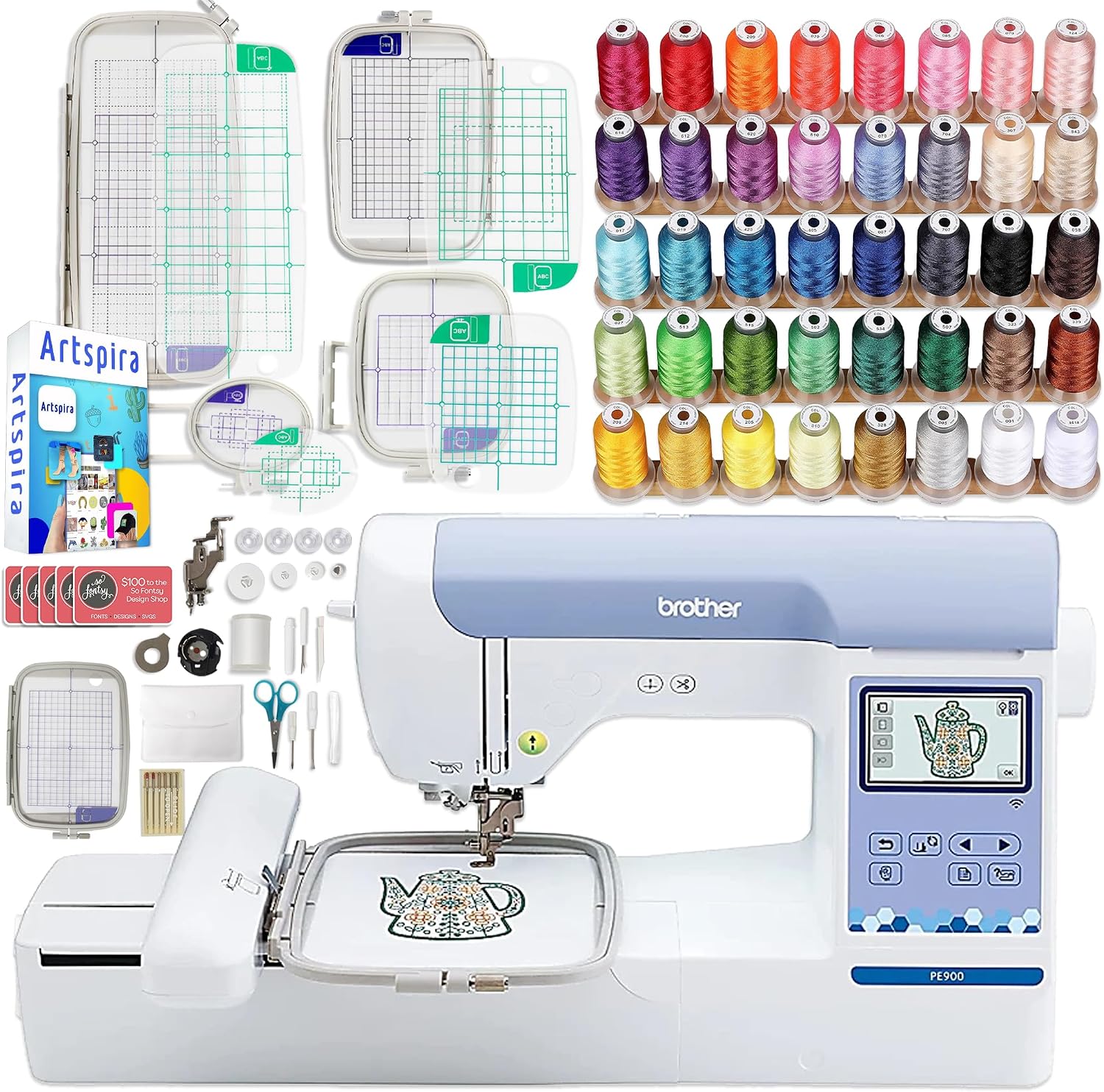
Brother PE900 5x7 Embroidery Machine Bundle
- 5 in x 7 in
- Embroidery only
- 193 designs
Good fit if
- Large 5 by 7 inch hoop area for bigger designs
- 193 designs and 13 fonts built in
- On-screen editing with zoom and letter editing
- Bundle includes five hoops and 40 thread spools
- Artspira app supports wireless design transfer
Skip it if
- Embroidery only, no sewing functions
- 20 pounds and 17 inches wide limits portability
Paid link. We may earn a commission.

Brother SE700
- 4 in x 4 in
- Sew + embroider
- 135 designs
Good fit if
- You want one machine for sewing and small embroidery
- Your designs fit in 4" x 4"
Skip it if
- You expect to stitch designs larger than 4" x 4"
- You already own a sewing machine and only need embroidery
Check price on AmazonRead our full review
Paid link. We may earn a commission.
Do Embroidery Machines Come With Designs: What to Check Before You Buy
Built-in designs are only one part of the picture. The criteria below are the ones that most often separate a machine that fits your projects from one that frustrates you within a month.
Built-In Design Library and Fonts
The Brother SE700 models list 135 built-in embroidery designs and 10 embroidery lettering fonts, while the Brother PE900 lists 193 built-in designs and 13 fonts. More designs give you more to practice with before you buy or download anything, and a larger font selection helps with monogramming and names. For many beginners, the built-in library is enough for the first several months.
Beyond the built-in set, check how the machine accepts new designs. All three models here support the Artspira app, and the SE700 models add wireless LAN so you can transfer files from a computer or phone. The bundles also include design cards described as good for 30 or more designs each, which is a practical way to expand your library without extra purchases.
Embroidery Field and Hoop Sizes
The embroidery field is the largest area the machine can stitch in one pass. The SE700 models list a 4 inch by 4 inch field, while the PE900 lists a 5 inch by 7 inch field. Larger fields matter for monograms on towels, jacket backs, and quilt blocks, because you can stitch more without repositioning.
Bundles sometimes include hoops that are larger than the listed field. Do not assume the machine can stitch the full hoop area. Confirm in the manual which hoops the machine accepts and what area each one actually allows.
Sewing and Embroidery in One vs Embroidery Only
The two SE700 listings are combo machines, so they sew and embroider. The SE700 bundle lists 103 built-in sewing stitches, and the standalone SE700 listing matches that with 103 stitches and 10 one-step buttonhole styles. The PE900 is embroidery only. If you already own a sewing machine you like, an embroidery-only model keeps things simple. If you are starting from nothing, a combo saves space and money.
Included Accessories and Thread
Thread and hoops add up quickly when bought separately, so bundle contents deserve a close look. All three listings include 40 polyester thread spools at 500 meters each, giving you plenty of thread for practice and small projects. The SE700 bundle adds several hoops and a range of presser feet, while the PE900 bundle adds several hoops and a dust cover.
Check that the feet and hoops match the projects you have in mind. A zipper foot or buttonhole foot is only useful if you plan to sew garments, and a small hoop is handy for cuffs and sleeves. If a detail is not listed, ask the seller or check the manual rather than assuming.
Screen, Connectivity, and Ease of Use
A larger screen makes it easier to preview and edit designs before stitching. The listings mention the Artspira app for drawing patterns on a phone, and the PE900 listing describes transferring them wirelessly.
For a closer look at how the combo and embroidery-only paths differ, our Brother SE700 vs PE900 comparison walks through the tradeoffs in more depth.
Who should skip these machines
- Skip the SE700 if you mainly want to monogram large items; its field is 4 x 4 inches.
- Skip the PE900 if you also need to sew seams and hems.
- Skip a bundle if you do not need the extra hoops, feet and design cards.
What we could not assess
Stitch quality, noise and long-term reliability, because we compare machines from listings and manufacturer documents, not our own use. The SE700 and PE900 figures here (135 and 193 designs, 10 and 13 fonts, 4 x 4 and 5 x 7 inch fields, 103 stitches, 10 buttonhole styles) match Brother’s pages. Bundle contents such as the 40 thread spools and design cards come from Amazon listings only. How We Review lists the limits of our method.
Why You Should Trust Us
Our guides are built from manufacturer specifications and current product listings. We do not conduct our own product trials. We compare the details that affect daily use, such as embroidery field size, built-in design counts, hoop and accessory contents, and connectivity options. Where the data is unclear or conflicting, we say so and point you to the manual or spec sheet.
We do not claim to have stitched with these machines. What we can do is lay out the facts side by side so you can judge which bundle fits your projects and budget. Ratings and review counts shown in the product block come from the listing data and are not our own assessments.
Final Thoughts
For most beginners, the Brother SE700 Sewing and Embroidery Machine is the best overall pick. It combines sewing and embroidery and includes 135 built-in designs and 10 fonts. The 4 inch by 4 inch field is limiting for large projects, so skip it if you mainly want to monogram big items.
The Brother SE700 Combo bundle may suit you if you want to start with several hoops and feet in one purchase, since it adds extra hoops and a broad accessory set. The Brother PE900 may suit dedicated embroiderers who want the larger 5 inch by 7 inch field and the bigger built-in library. It is embroidery only, so skip it if you also need to sew seams and hems.
Whichever you choose, confirm the hoop sizes and field limits in the manual before planning a project. For more options, browse our Brother PE800 review and buying guide.
Related guides
- Best Embroidery Machines for Home Use: 7 Machines Rated on One Scale
- Best Embroidery Machines for Beginners: 5 Machines Rated
- Best Sewing and Embroidery Combo Machines: 3 Compared for Sewing
FAQs
Do embroidery machines come with designs built in?
Yes, most computerized embroidery machines ship with a built-in design library. The models here include between 135 and 193 built-in designs plus multiple lettering fonts, and the SE700 and PE900 bundles add design cards for further expansion.
Can I add my own designs to these machines?
Yes. The listings mention the Artspira app for creating patterns, and the SE700 models add wireless LAN and a USB port for moving files from a computer. Check the file formats the machine accepts in the manual before you buy a design online, and see our guide to embroidery file formats for what each one means.
Is a 4 inch by 4 inch embroidery field big enough?
It depends on your projects. A 4 inch by 4 inch field handles monograms, small logos, and baby items well, but it is tight for jacket backs and large quilt blocks. If bigger designs are a priority, the PE900 with its 5 inch by 7 inch field is the better fit.
Should I buy a combo machine or an embroidery-only machine?
Choose a combo if you are starting from scratch and want one machine for sewing and embroidery. Choose embroidery only if you already own a sewing machine you like and want to put your budget toward a larger embroidery field.
This article was written by the Embroidery Machine Scout editorial team from manufacturer and listing information. We do not conduct our own product trials.
Sources
- Manufacturer product pages: Brother SE700 and Brother PE900 (read November 14, 2026).
- Amazon product listings shown in the product blocks on this page, for listed specifications and included accessories (accessed October 31 to November 1, 2026).
About the author
The Embroidery Machine Scout team is the site's operator, who also writes as Jordan Hale, and a partner who works on the site with them. The team compiles manufacturer specifications, user manuals, warranty terms, and patterns in owner feedback, and shows where each detail comes from. The team does not run its own machine trials.