Best Embroidery Machines for Home Use: 7 Machines Rated on One Scale
Seven home embroidery machines sold new in the U.S., rated on the same six criteria, with picks for overall, embroidery-only, and lower-cost combos.
 By EMS Team
Updated November 14, 2026
We earn a commission if you buy through links on this page, at no extra cost to you. As an Amazon Associate I earn from qualifying purchases. Commissions do not affect how we rate products. Read our affiliate disclosure.
Of the best embroidery machines for home use that we rated, the Brother SE2000 comes out on top: it is the highest-rated of the seven, with a 5″ x 7″ field and a full sewing machine built in. If you already own a sewing machine, the embroidery-only Brother PE900 has the same field and design library for less. Smaller budgets and smaller projects point to the 4″ x 4″ Brother SE700 or SE725.
We rated every machine on the same six criteria, from manufacturer specifications, manuals, warranty documents, store prices, and written customer reviews, and we explain the weighting on our How We Review page. We do not conduct our own product trials. This page covers home embroidery machines currently sold new in the U.S.; multi-needle machines for businesses are a different class, and other brands we have not rated are listed below with the reason.
Our picks at a glance
- Best overall: Brother SE2000 (EMS Rating 7.7).
- Best embroidery-only: Brother PE900 (7.3).
- Best lower-cost sewing and embroidery: Brother SE725 (6.9) at Walmart, or the matching SE700 (6.8) elsewhere.
- Lowest-cost embroidery-only: Brother PE545 (6.5), when in stock.
These picks rank the seven Brother and Singer models we rated, not every embroidery machine on the market; brands we have not rated are listed further down.
Lower-cost sewing and embroidery

Brother SE725 or SE700
- 4 in x 4 in
- Sew + embroider
The seven machines compared
| Machine | Type | Largest embroidery area | Built-in designs | EMS Rating | Maker’s store, October 19, 2026 |
|---|---|---|---|---|---|
| Brother SE2000 | Sews and embroiders | 5″ x 7″ | 193 | 7.7 | Check current price |
| Brother PE900 | Embroidery only | 5″ x 7″ | 193 | 7.3 | Check current price |
| Brother SE725 | Sews and embroiders | 4″ x 4″ | 135 (Disney and Pixar characters; Brother lists the same specification table as the SE700) | 6.9 | Not sold on Brother’s store; Walmart exclusive |
| Brother SE700 | Sews and embroiders | 4″ x 4″ | 135 | 6.8 | Check current price |
| Brother PE545 | Embroidery only | 4″ x 4″ | 135 | 6.5 | Back in stock October 21, 2026; check current price |
| Singer SE9180 | Sews and embroiders | Singer gives two figures: 170 x 100 mm with the included hoop (product page) and 7″ x 4.7″ (FAQ); its documents do not reconcile them | 150 | 6.1 | Check current price |
| Brother Skitch PP1 | Embroidery only, app controlled | 4″ x 4″ | Designs come from the app | 4.5 | Check current price |
Specifications are from each maker’s product pages and manuals; prices are the maker’s own store and change often. Out of stock on a maker’s store does not mean a model is discontinued.
The machines
1. Brother SE2000: best overall
The SE2000 scored highest on the strength of its 5″ x 7″ field, the largest feature set in the group, and the strongest customer feedback we counted. It is also a full sewing machine, so one purchase covers both crafts. It costs the most of the Brother models here, which is the main reason to look further down the list. Our full SE2000 review has the criterion-by-criterion score.

Brother SE2000
- 5 in x 7 in
- Sew + embroider
- 193 designs
Good fit if
- You want one machine for sewing and 5" x 7" embroidery
- You value a larger built-in stitch selection and a knee lifter
Skip it if
- Your designs fit in 4" x 4" and you want to spend less
- You already own a sewing machine and only need embroidery
Check price on AmazonRead our full review
Paid link. We may earn a commission.
2. Brother PE900: best embroidery-only
The PE900 shares the SE2000’s 5″ x 7″ field and design library but has no sewing functions, so it suits someone who already owns a sewing machine. Customer feedback was less consistent than for the SE2000. See our PE900 review for details, and our PE800 vs PE900 comparison if you are weighing the older model.
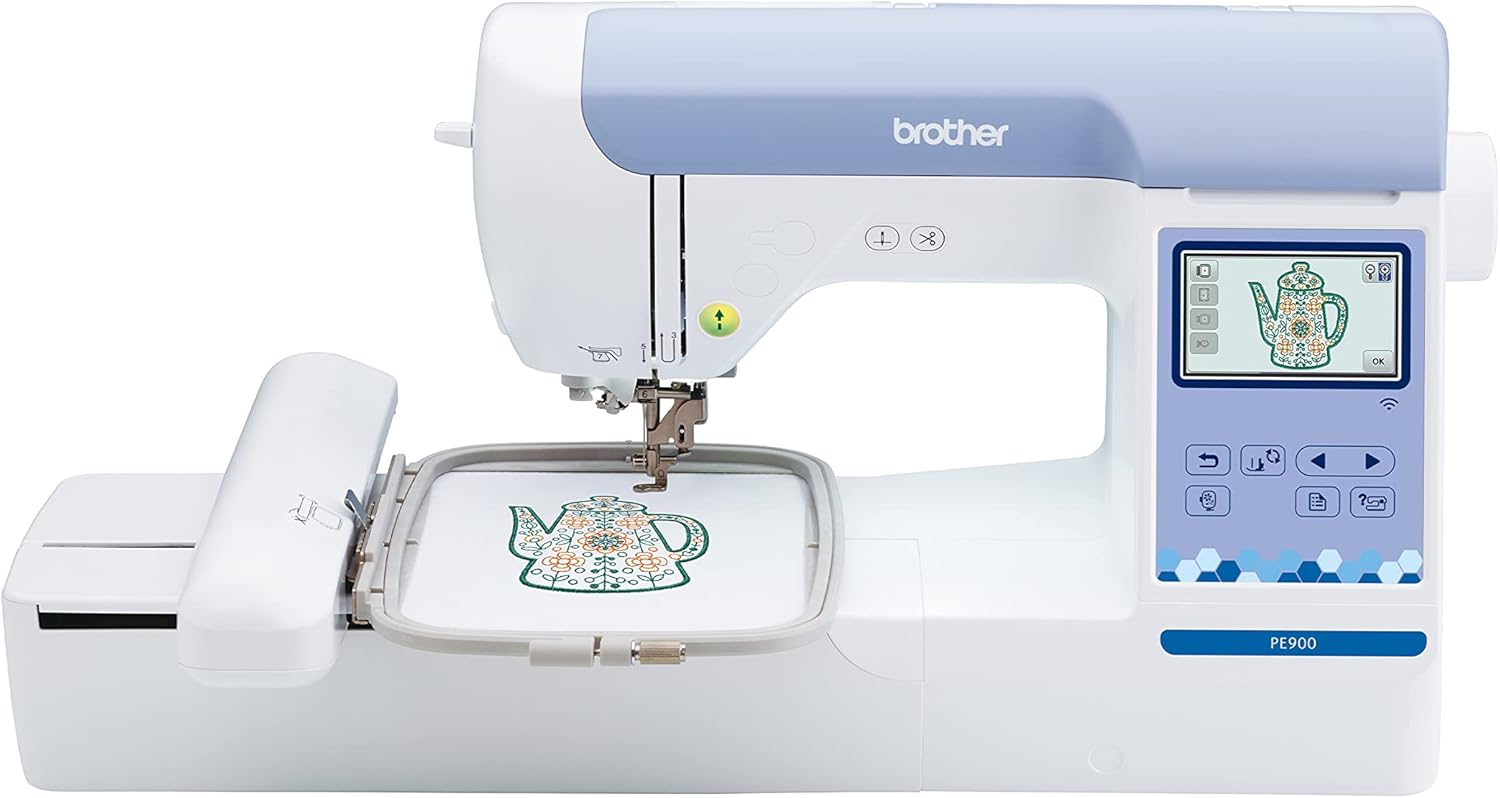
Brother PE900
- 5 in x 7 in
- Embroidery only
- 193 designs
Good fit if
- You only need embroidery and want a 5" x 7" field
- You want wireless design transfer
Skip it if
- You also want a sewing machine in the same unit
- Your designs fit in 4" x 4" and you want a smaller-field machine
Check price on AmazonRead our full review
Paid link. We may earn a commission.
3. Brother SE725 or SE700: lower-cost sewing and embroidery
Brother lists the SE725 as a Walmart exclusive with the same specification table as the SE700; it rated slightly higher only because its customer reviews were more positive. Both have a 4″ x 4″ field, which suits names, monograms, and small motifs but not larger designs. The SE725 has no Amazon link here because Brother sells it through Walmart. Our SE700 review covers the shared hardware, and SE700 vs SE2000 shows what the bigger field adds.
Brother SE700
- 4 in x 4 in
- Sew + embroider
- 135 designs
Good fit if
- You want one machine for sewing and small embroidery
- Your designs fit in 4" x 4"
Skip it if
- You expect to stitch designs larger than 4" x 4"
- You already own a sewing machine and only need embroidery
Check price on AmazonRead our full review
Paid link. We may earn a commission.
4. Brother PE545: lowest-cost embroidery-only
The PE545 is the embroidery-only version of the 4″ x 4″ platform, with the lowest list price among Brother’s current embroidery-only models here. Brother’s store showed it out of stock from October 12 to 20, 2026, without a discontinued label, and it was back in stock on October 21. Its customer review sample was small. Our PE545 vs SE700 comparison helps if you are deciding whether you need sewing too.

Brother PE545
- 4 in x 4 in
- Embroidery only
- 135 designs
Good fit if
- You only need embroidery for small designs
- You want wireless design transfer
Skip it if
- You expect to stitch designs larger than 4" x 4"
- You also want a sewing machine in the same unit
Paid link. We may earn a commission.
5. Singer SE9180: the non-Brother option
The SE9180 has a wider hoop than the 4″ x 4″ Brothers and many built-in sewing stitches, but it reads only Singer’s .VP3 design format, and Singer’s documents give two different figures for its embroidery area. It has no Amazon link on this page because we could not confirm a listing for the machine alone; buy from Singer or an authorized retailer.
6. Brother Skitch PP1: app-controlled, for small projects
The PP1 has no screen and is run from Brother’s Artspira app. It rated lowest, mainly because only 12 of 44 written customer reviews we counted were positive and its features are tied to the app. It is the cheapest machine here, but the low rating is a reason to compare carefully. We found no Amazon listing we could confirm for the machine alone; Brother sells it on its own store.
The best embroidery machine for your project
Most searches for a machine start with a project. These are the short answers, based on the specifications and manuals above.
Names, monograms, and lettering
Any of the seven can stitch names, and a 4″ x 4″ field fits most monograms on towels, shirts, and bags. Our guide to the best embroidery machine for monogramming compares built-in lettering tools and field sizes machine by machine.
T-shirts, sweatshirts, and hoodies
A left-chest design fits in 4″ x 4″; a larger design across the front of a sweatshirt or hoodie needs 5″ x 7″. Knits stretch, so stabilizer and hooping matter more than the machine; our guide to hooping a shirt for embroidery covers the steps.
Towels
Brother’s PE900 manual recommends placing water-soluble stabilizer on top of thick terry cloth towels to keep the loops from poking through the stitches. Any of these machines can stitch a towel monogram; the field size only limits how large it can be.
Quilting
For quilt blocks and appliqué, a 5″ x 7″ field gives more room per block. If you also want to piece and quilt, a combination machine helps: the SE2000 and SE700 manuals describe lowering the feed dogs for free-motion quilting with a presser foot sold separately.
Patches
Home machines can make patches with in-the-hoop designs, one at a time; our patch-making guide explains the method and its limits.
Logos and a small business
For repeat orders of multicolor logos, a single-needle home machine means rethreading at every color change. A multi-needle machine is built for that work; our guide to embroidery machines for a small business compares the options.
How we picked
We started from every home embroidery machine Brother and Singer list as sold new in the U.S., removed discontinued models, and rated the rest (all are computerized machines that read design files) on six weighted criteria: embroidery area and hoops (25%), ease of use (20%), features (15%), support and warranty (15%), positive customer-review share (15%), and value (10%). Machines with fewer than 10 usable written customer reviews do not get a rating. The same rubric applies to our beginner machine picks and budget picks, so a score means the same thing on every page.
How each machine scored
| Criterion (weight) | SE2000 | PE900 | SE725 | SE700 | PE545 | SE9180 | PP1 |
|---|---|---|---|---|---|---|---|
| Embroidery area and hoops (25%) | 6.5 | 6.5 | 4.0 | 4.0 | 4.0 | 5.4 | 4.0 |
| Ease of use (20%) | 8.5 | 8.5 | 8.5 | 8.5 | 8.5 | 6.5 | 4.5 |
| Features (15%) | 10.0 | 10.0 | 7.5 | 7.5 | 7.9 | 7.5 | 1.4 |
| Support and warranty (15%) | 7.0 | 7.0 | 7.0 | 7.0 | 7.0 | 6.0 | 7.0 |
| Positive customer-review share (15%) | 9.4 (n=51) | 7.1 (25 of 35) | 8.6 (19 of 22) | 7.9 (52 of 66) | 5.9 (n=17) | 6.1 (20 of 33) | 2.7 (12 of 44) |
| Value: list price and missing supplies (10%) | 4.0 | 4.0 | 7.0 | 7.0 | 7.0 | 5.5 | 9.0 |
| EMS Rating | 7.7 | 7.3 | 6.9 | 6.8 | 6.5 | 6.1 | 4.5 |
Customer-review share counts written reviews rated 4 or 5 stars on the maker’s product pages, excluding reviews labeled incentivized; n is the number of reviews counted. The full scoring rules for each criterion are on our How We Review page, and each machine’s review explains its inputs.
Embroidery Machine Buying Guide
Embroidery Field and Hoops
The embroidery field is the largest area a machine can stitch in one hooping, and it decides which designs you can make without splitting them. A 4″ x 4″ field covers names, monograms, and small patches; 5″ x 7″ adds larger motifs on totes, pillow covers, and the front of a sweatshirt.
Check what comes in the box, too. A larger optional hoop only helps if it fits inside the machine’s maximum field. Our hoop size guide shows what fits in each size.
Embroidery-Only or Sewing and Embroidery
A combination machine sews like a regular sewing machine when you remove the embroidery unit. That saves space and money if you need both, and our combo machine comparison looks at the sewing side in detail. If you already own a sewing machine you like, an embroidery-only model puts the budget into the embroidery features instead.

The difference between the two kinds of machine is explained in embroidery machine vs sewing machine.
Design Files and Transfer
Each machine reads specific design file formats. The Brother machines here read .PES and .DST among others; the Singer SE9180 reads only .VP3. If you buy designs online, make sure the seller offers your machine’s format, or plan on editing software such as Embrilliance Essentials to convert files; our embroidery software guide compares the options.
Most current machines load designs by USB, and several add wireless transfer. Check the manual rather than the box, since Singer’s documents did not confirm Wi-Fi transfer for the SE9180.
Ease of Use
For beginners, the features that save the most frustration are an automatic needle threader, an automatic thread cutter, and a touchscreen that previews the design. The Brother machines here have all three. The PP1 has no screen at all and relies on a phone app.
Printed manuals and on-machine tutorials matter more than they sound when you are learning to hoop and thread; our rubric gives points for both.
Customer Feedback and Warranty
We count the share of written customer reviews rating a machine 4 or 5 stars, excluding reviews labeled incentivized. It is not a measurement, and the sources are platforms run by sellers, but large gaps between machines are informative. The PP1’s low share is the clearest example.
Brother’s standard home warranty on these models is listed as 1 year for parts and labor, 2 years for electronics, and 25 years for the chassis. Warranty terms differ by maker and by where you buy, so read them before ordering.
Total Cost
The machine is only the start. Plan for top thread, bobbin thread, stabilizer, needles, and possibly software and extra hoops. Our embroidery machine cost guide adds up a first-year budget, and the supplies checklist lists what to buy before your first project.
Who should skip which machine
- Brother SE2000: skip it if you do not sew. The PE900 has the same 5″ x 7″ field and design library without the sewing side, and the SE2000 costs the most of the Brother models here.
- Brother PE900: skip it if you want one machine for sewing and embroidery. Customer feedback on the PE900 was also less consistent than on the SE2000, so compare carefully.
- Brother SE725 and SE700: skip them if you want designs larger than 4″ x 4″. The SE725 is sold through Walmart, not through Amazon, and Brother’s page lists it as a Walmart exclusive.
- Brother PE545: skip it if you need a field larger than 4″ x 4″ or you want to sew; it is embroidery-only.
- Singer SE9180: skip it if you want to load designs in many formats, because it reads only Singer’s .VP3 format, or if you need one confirmed embroidery area, because Singer’s documents give two different figures.
- Brother Skitch PP1: skip it if you want a screen on the machine, because it is run from Brother’s Artspira app. It also rated lowest. When we read Brother’s page on November 14, 2026, it showed the PP1 as out of stock.
Other embroidery machines we did not rate
- Janome: Janome sells home embroidery machines in the U.S., but we could not reliably access the specification pages we would need to rate them on the same criteria.
- Baby Lock: Baby Lock lists prices for its embroidery machines, but its site showed only 1 to 4 customer reviews per machine when we checked, below our minimum of 10.
- Bernette and other brands: not yet researched for this page.
- Multi-needle machines such as the Ricoma EM-1010 and Brother PR680W: a different class built for production, with prices several times higher. See single-needle vs multi-needle machines and our guide to machines for embroidering caps.
- Brother models we could not buy new on Brother’s store on October 19, 2026, which we have not rated yet: the PE570 (listed with a price but no buy button), the SE630 (new units out of stock; refurbished units offered), and the LB5500 (out of stock). None carried a discontinued label.
- Discontinued Brother models such as the PE535, SE600, SE625, PE800, and LB5000M, which Brother labels discontinued: still listed by some retailers. Our Brother models explained page tracks which are current.
Our embroidery machine comparison chart lists the specifications and U.S. store status of every machine we track, including Baby Lock and multi-needle models.
Final Thoughts
- Best Overall: Brother SE2000, the highest EMS Rating in the group, with a 5″ x 7″ field and full sewing functions.
- Best Embroidery-Only: Brother PE900, the same field and design library as the SE2000 without the sewing machine.
- Best Lower-Cost Sewing and Embroidery: Brother SE725 at Walmart, rated just above the Brother SE700, which shares its specifications.
- Lowest-Cost Embroidery-Only: Brother PE545, for small designs on a tight budget; back in stock at Brother on October 21, 2026.
What we could not assess
- Stitch quality, noise, and long-term reliability: we have not used these machines, and customer reviews are not measurements.
- Brands we have not rated, listed above.
- Current prices and stock, which change often.
Frequently Asked Questions
What is the best embroidery machine for home use?
Among the seven home machines we rated, the Brother SE2000 scored highest. If you do not need a sewing machine, the Brother PE900 gives the same 5″ x 7″ field for less.
What size embroidery machine do I need?
A 4″ x 4″ field handles names, monograms, and small motifs. Choose 5″ x 7″ if you want larger designs on bags, pillows, or the front of a shirt without splitting them.
Is it worth buying a combination sewing and embroidery machine?
If you need both and have limited space, yes: the SE2000 and SE700 sew normally when the embroidery unit is removed. If you already own a sewing machine you like, an embroidery-only model is the better use of the budget.
Which brand of embroidery machine is best?
Brother models took the top five places in our ratings, partly because Brother publishes the most complete specifications and has the most customer reviews to count. We have not yet rated Janome or Baby Lock machines, for the reasons listed above.
Do I need a multi-needle embroidery machine?
Only if you plan to stitch many multicolor pieces, such as orders for a small business. Multi-needle machines switch colors automatically but cost several times more and are much larger.
Related guides
- Embroidery Machine Gifts: Which Machine to Give, Matched to the Person
- Embroidery Machine vs Cricut: What Each Makes and Which to Buy First
- Janome Embroidery Machines Explained: The Current Lineup Compared
- Baby Lock Embroidery Machines Explained: Every Single-Needle Model Compared
- Best Embroidery Machine for Patches: Buying Guide
- Embroidery Machine Black Friday Deals: Buying Guide
- Embroidery Machine for Shirts, Uniforms and Large Designs: What the Manuals Say
- Embroidery Machine for Thick Fabric, Leather and Jackets: What the Manuals Say
- Tubular Arm Embroidery Machine Explained
- Embroidery Machine for Bags: What to Check
- Do Embroidery Machines Come With Designs? What to Check
- Embroidery Machine With Touchscreen Explained
- Wireless Embroidery Machine Explained: What to Look For
- USB Embroidery Machine Explained: What to Look For
- Best Embroidery Machine for an Etsy Shop
- Embroidery Machine for Baby Clothes: Buying Guide
- How Much Space Does an Embroidery Machine Need?
- Is an Embroidery Machine Hard to Learn? A Beginner Guide
- Embroidery Machine Under 300: Buying Guide
- Best Embroidery Machine Under 500: PE545 Review
- Embroidery Machine Deals: 3 Models Compared
- Best Embroidery Machine for Kids: Brother Models Compared
- Best Embroidery Machine for Home Decor Projects
- Best Embroidery Machine for Free Motion Embroidery
- Best Portable Embroidery Machine: 3 Brother Models
- Embroidery Machine Mac Compatibility: What to Know (2026)
Sources
- Brother USA product pages, specification tables and customer reviews: SE2000, PE900, SE700, SE725, PE545 and Skitch PP1 (specifications accessed October 11 to 12, 2026; links and stock status rechecked November 14, 2026; store prices rechecked October 19, 2026).
- Singer SE9180 product page, FAQ and manual (accessed October 12, 2026; page rechecked November 14, 2026; price rechecked October 19, 2026).
- Brother Limited Warranty (Standard), linked from Brother product pages (accessed October 11, 2026).
- Written customer reviews on the Brother USA and Singer product pages, counted for each machine as described in our individual reviews (accessed October 11 to 12, 2026).
- Baby Lock single-needle embroidery machines (accessed October 15, 2026).
About the author and reviewer
The Embroidery Machine Scout team is the site's operator, who also writes as Jordan Hale, and a partner who works on the site with them. The team compiles manufacturer specifications, user manuals, warranty terms, and patterns in owner feedback, and shows where each detail comes from. The team does not run its own machine trials.

Avery Quinn is the pen name of Embroidery Machine Scout's content advisor, who has experience in the embroidery industry. Avery reviews guides for accuracy, sourcing, and clarity before they are published.